Time & money·Time tracking

Time tracking that ends in an invoice

Track billable hours against the task they belong to, with per-member rates that roll into project budgets and invoice line items automatically.

Free forever plan. No credit card.

In this feature

Per-task timers
01
Manual entries
02
Member hourly rates
03
Feeds invoices
04

On this page

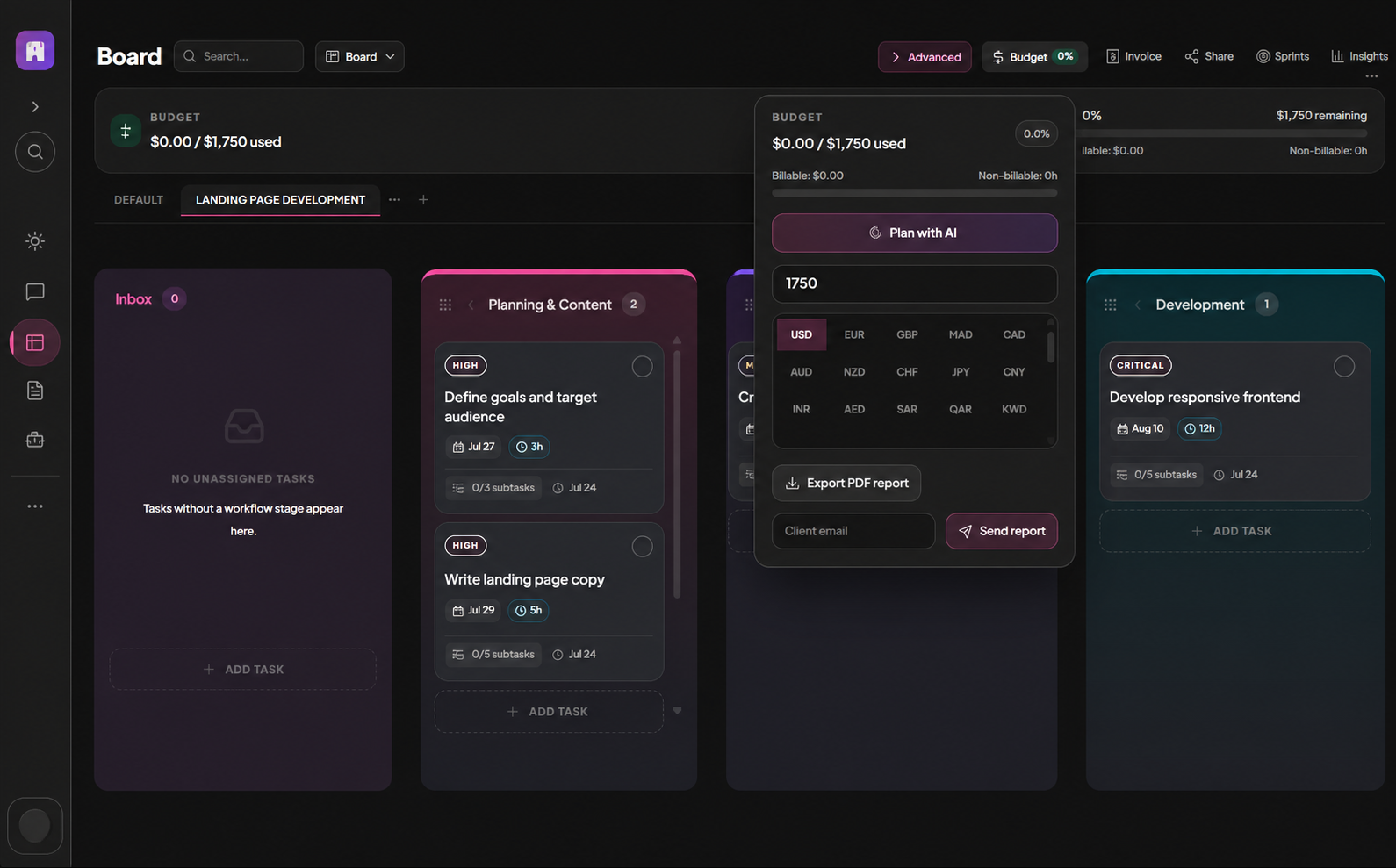
Plate 00 · Time trackingProject budget and time tracking controls on a MoodLens board.
Project budget and time tracking controls on a MoodLens board
01

Track it where the work happens

Start a timer on the task you are doing. No separate timesheet app to reconcile at the end of the month, and no guessing which project an hour belonged to.

Detail

  • Start and stop timers per task
  • Add time entries manually
  • Time visible on the task and the board
02

Rates that produce real numbers

Set an hourly rate per member per board. Tracked time becomes cost, cost becomes budget consumption, and budget consumption becomes an invoice you can defend.

  • Per-member, per-board hourly rates
  • Private personal rate settings
  • Billable hours flow to invoices

Straight answer

Can I keep my rate private from the team?

Yes. Personal rate settings are private to you, while board-level member rates are managed by owners and admins.

Run the whole client lifecycle in one workspace.

Time tracking is one part of it. Plan the work, keep clients informed, track the budget and get paid — without another subscription.

Start free

Free to start. No credit card required.