The design is waiting for feedback, the date has passed and your last two emails went unanswered. Before you assume the worst, follow a plan. This guide covers why clients go quiet, what to do in the first two weeks, three follow-up emails you can copy, the contract clauses that protect you and how to make silence visible on the next project.
The short answer
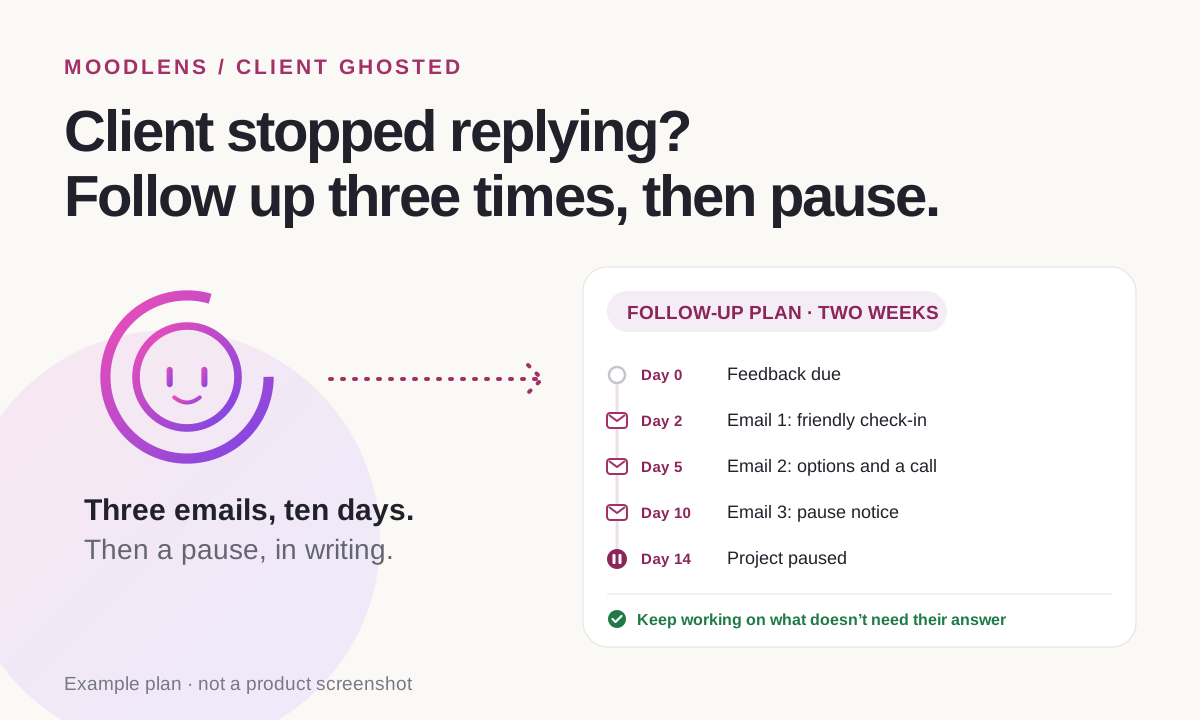
When a client ghosts you mid-project, follow up three times over about ten days: a friendly check-in, then an email with clear options and a phone call, then a pause notice that says the project pauses on a set date and how to restart it. Stop work that depends on the client, keep the deposit for the work already done as your contract allows, and invoice completed milestones. Next time, agree a feedback window and a pause clause in the contract, take a deposit and put the client’s tasks on the plan with due dates. In MoodLens To-do (Plus and Pro), a live client link shows the client the project and lets them answer with Looks good, Question or Change request.
From silence to a clear answer
- 1Feedback due
- 2Friendly check-in
- 3Options and a call
- 4Pause notice
- 5Project paused
- 6Client replies, or you close
Why clients go quiet in the middle of a project
Ghosting feels personal, but it rarely is. As the business coach Rebecca Hay put it in a March 2024 podcast episode, “It’s not personal. It’s usually business.” The cause is usually in the client’s week, not in your work.
Silence mid-project usually means one of a handful of things. Your follow-ups should make it easy to answer whichever one it is.
- They are busy, ill or away, and your email slid down the inbox.
- They are waiting on someone else, such as a partner or a manager who has to approve.
- The feedback request feels like a big job, so they keep putting it off.
- The budget or the business has changed, and they don’t know how to tell you.
- They are unhappy with something and avoiding the conversation.
What to do in the first two weeks
Give the silence a schedule. A fixed sequence stops you from sending ten anxious emails or, worse, none at all.
- Work on anything that does not need the client’s answer, so the silence costs you less.
- Try another channel once: a call or a text message often reaches people that email doesn’t.
| When | What to do | How |
|---|---|---|
| Day 0 | Feedback or content is due | Note it on the plan and keep working on anything that doesn’t depend on it |
| Day 2 | Friendly check-in | A short email with one question |
| Day 5 | Options email and a call | An email with two or three choices, then a phone call |
| Day 10 | Pause notice | Email: the project pauses on day 14 unless you hear back |
| Day 14 | Project paused | Stop work, invoice completed milestones and keep the files |
Three follow-up emails you can copy
Keep each email short, name the exact thing you need and give a date. Make the easiest possible reply obvious.
- Email 1, the check-in. Subject: Quick question about the home page. “Hi Alex, just checking you saw the home page design I sent on Monday. Does it look right to you? A yes is enough to keep us on track for launch.”
- Email 2, the options. Subject: Keeping your launch date. “Hi Alex, I haven’t heard back about the home page design, so here are three options: approve it as it is, send changes by Friday, or pause for a few weeks. Which works best? I’ll also try you by phone tomorrow.”
- Email 3, the pause notice. Subject: Pausing your website project on 24 March. “Hi Alex, I haven’t been able to reach you, so I’ll pause the project on 24 March. Your deposit covers the work done so far. When you’re ready, reply to this email and I’ll restart on the next free date in my schedule.”
- After the pause, one more check-in a month later is enough. Then close the project in your records and move on.
What your contract should already say
A contract cannot make a client reply, but it can decide in advance what silence means, so you don’t have to negotiate it with someone who isn’t answering.
- A feedback window: for example, feedback within 5 working days of each delivery.
- Approval by silence: if no feedback arrives within the window, the stage counts as approved. Rebecca Hay describes using this for design reviews.
- A pause clause: after a set number of days without a reply, the project pauses and restarts on the next available date, which can move the launch date.
- A restart fee or a new schedule after a long pause, if your calendar is full.
- Termination: how either side ends the project, the notice required and payment for the work done.
- The deposit: what it covers and when it stops being refundable. Check what the law allows where you work.
Prevent it on the next project
Clients ghost less when the next step is always clear and the work is visible. Dribbble’s July 2020 guide recommends a deposit of 25 to 50% before you start, so a client who disappears has already paid for the first part of the work.
- Take the deposit before any work starts.
- End every message with one next step and a date.
- Book review calls in advance instead of sending designs into the void.
- Ask for feedback in fewer, larger rounds, with one clear question each time.
- Put the client’s tasks on the plan with due dates, so everyone can see what is waiting on whom.
How MoodLens makes silence visible
In MoodLens To-do, the client’s part of the project sits on the same board as yours. Add tasks such as “Approve the home page” or “Send final copy” with due dates, and a missing answer shows up as an overdue task on the day it happens.
With a live client link, the client sees progress, the docs you share and what changed since their last visit, without an account. They can answer with Looks good, Question or Change request, and your team is notified inside MoodLens. They can also sign up for an email report every week, every two weeks or every month, so the project keeps reaching their inbox.
And because deposit and milestone invoices come from the signed contract, the work you have done is billed even when the client goes quiet.
- MoodLens cannot make a client reply. It makes the next step obvious and easy to take.
- Client sharing is included in Plus and Pro. You can protect the link with a password and an expiry date.
- Deposit, balance and milestone invoice drafts can be created once every required signer has signed the contract.
Waiting in your inbox vs. a shared project in MoodLens
| Category | MoodLens | Waiting in your inbox |
|---|---|---|
| What the client owes you | Client tasks with due dates on the board | A request buried in an email thread |
| Seeing progress | A live link with what changed since their last visit | Only when you write |
| Replying | Looks good, Question or Change request, in one place | A long email they keep putting off |
| Regular nudges | An email report every week, two weeks or month | Follow-ups you write by hand |
| Money for work done | Deposit and milestone invoices from the signed contract | Unbilled hours while you wait |
Frequently asked questions
How many times should I follow up with a client who ghosted me?
Three times over about ten days is usually enough: a friendly check-in, an email with options plus a call, and a pause notice. After that, one check-in a month later, then close the project.
Can I keep the deposit if the client ghosts me?
The deposit usually pays for work already done, but it depends on your contract and local law. Say in the contract what the deposit covers and when it stops being refundable.
What is a pause clause?
A contract term that says what happens when the client stops responding: after a set number of days, the project pauses and restarts on your next available date, which may move the launch date.
Should I keep working while the client is silent?
Only on work that does not depend on their answer. Building pages on a design they have not approved risks doing the same work twice.
How does MoodLens help with unresponsive clients?
On Plus and Pro, a live client link shows the client progress and what changed, lets them answer with Looks good, Question or Change request, and can email them a report every week, two weeks or month. Client tasks with due dates show what is waiting on them.
Related MoodLens workflows
Sources and methodology
The follow-up plan, the emails and the contract clauses are practical templates, not legal advice. The deposit range comes from Dribbble (July 2020) and the quote from Rebecca Hay’s podcast (March 2024). MoodLens features were checked against the product in November 2026.