You delivered on the 1st. It is the 30th, and you are on your fourth draft of “Hi! Just following up…”. Late payment is the norm in freelance work, and the hardest part is not the invoice. It is asking. This guide covers the terms that prevent most late payments, the invoice that gets paid fastest, a four-step reminder schedule with wording you can reuse, and what to do when reminders are not enough.
The short answer
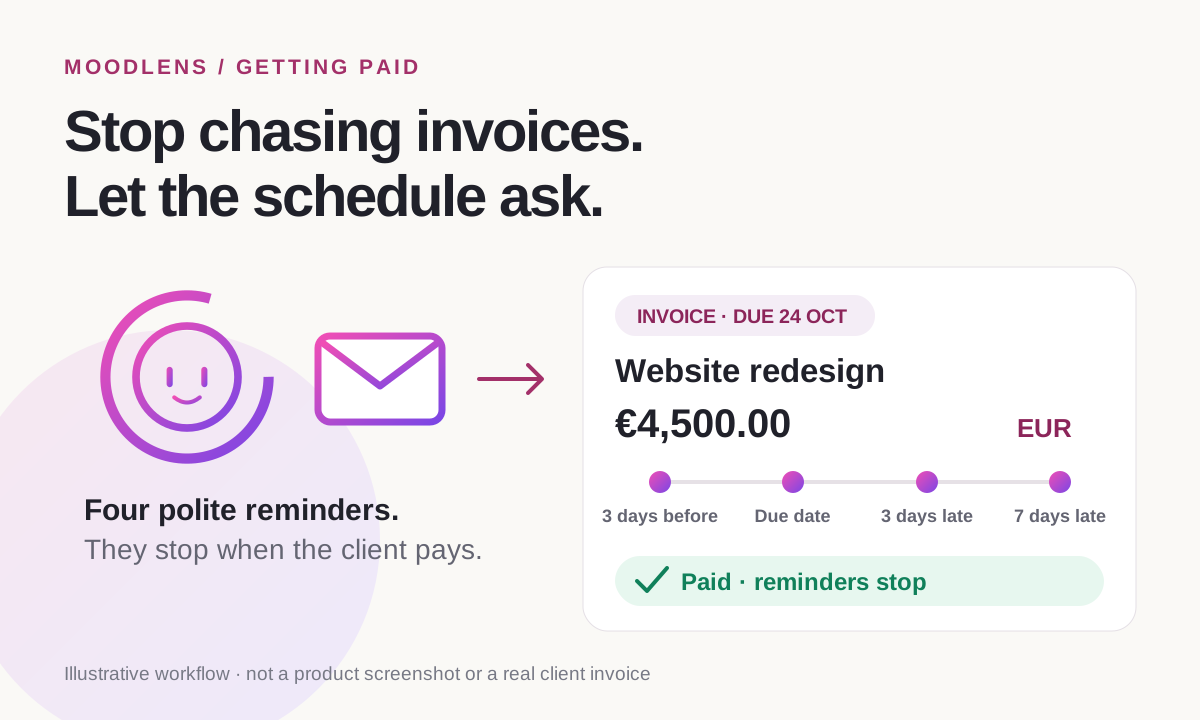
To get paid on time as a freelancer, agree the payment terms in writing before you start (a deposit, a due date and what happens if payment is late), send the invoice the day the work is accepted with a one-click payment link, and follow up on a fixed schedule: three days before the due date, on the due date, then three and seven days after it. In MoodLens To-do, invoices are built from your tracked work, can carry a card or crypto payment link, and can send those four reminder emails for you. They stop automatically once the client pays.
From agreed terms to a paid invoice
- 1Agree the terms in writing
- 2Invoice the deposit
- 3Track billable work
- 4Invoice with a payment link
- 5Reminders run on schedule
- 6Paid, and reminders stop
Late payment is the norm, not the exception
If a client is late, you are not unlucky. Late payment is the most common money problem in freelance work, and it shows up in every dataset that measures it, whether that is a survey of freelancers, a survey of agencies or real invoice records.
The numbers below come from different methods and regions, and several come from companies that sell payment or invoicing tools. Read them as a consistent signal rather than a single precise rate: most freelancers are paid late at least some of the time, and a minority are paid late on most of their work.
- Most late invoices are only one to two weeks late. Bonsai found that more than 75% of late invoices were settled within 14 days.
- The damage comes from the long tail. In the UK, IPSE found that 18% of late-paid freelancers waited more than three months.
- Getting paid on time is the top concern freelancers name in Remote’s 2025 survey.
| Finding | Figure | Source |
|---|---|---|
| Freelancers paid late at least some of the time | 85% | Remote, State of Freelance Work 2025 (3,300 freelancers, 10 countries; vendor survey) |
| Freelancers who are always paid on time | 15% | Remote, 2025 |
| Paid late or never on more than half their invoices | About 1 in 5 | Remote, 2025 |
| Invoices paid at least a day late in real ledger data | 29% | Bonsai, invoices from 100,000+ users over three years (vendor data) |
| Agencies that experience late payments | 97% | Ignition 2025, 273 agency leaders (vendor survey) |
| Agencies spending 3 to 10+ hours a month chasing payments | 84% | Ignition 2025 |
The real cost is the asking, not the invoice
Freelancers rarely describe late payment as an accounting problem. They describe silence, and the email they rewrite four times before sending because they do not want to sound pushy. Freelance writer Heidi Turner summed up one client’s delay: “3 months turned into 4, and then 5. And then it was a year.”
That reluctance has a price. When a single client owes you a month of work, rent and bills are on the line: in IPSE’s UK study, one in five late-paid freelancers had no money left for rent or bills. Agencies feel it one level up: in Ignition’s 2025 survey, 82% of agency leaders delayed or cancelled hiring or investment because cash flow was unpredictable.
The useful shift is to stop treating each follow-up as a personal favour you are asking for. Payment terms are part of the deal both sides agreed to. The rest of this guide is about making that deal explicit, making payment effortless and handing the reminders to a schedule, so that nobody has to have an awkward conversation unless something is actually wrong.
Prevent most late payments before the work starts
Most payment problems are decided before the first task begins. A client who never agreed to a due date has not broken one. Put the money terms in writing, in the proposal and then in the contract, while everyone is still enthusiastic about the project.
The law increasingly backs this up. In the European Union, the Late Payment Directive sets a 30-day default for business-to-business invoices when no term is agreed, generally limits agreed terms to 60 days, and entitles you to statutory interest of at least 8 percentage points above the European Central Bank reference rate plus at least €40 in fixed compensation. In the UK, the Late Payment of Commercial Debts Act allows interest of 8% above the Bank of England base rate plus a fixed sum. In the United States, New York State, Illinois and California now require written contracts for freelance work above $800, $500 and $250 respectively, with payment due within 30 days by default and double damages for late payment.
This is general information, not legal advice. Rules depend on where you and your client are based, whether the client is a business or a consumer and what your contract says. Check the rules that apply to you before adding interest or fees.
- A deposit before work starts: many freelancers ask for 30% to 50%, then bill the balance or milestones.
- A real due date on every invoice, such as “due 24 October”, rather than “net 30” alone.
- Milestone billing for anything longer than a few weeks, so one late invoice never covers the whole project.
- A named billing contact and email address, so invoices do not land with someone who cannot approve them.
- The payment methods you accept, and what happens if payment is late: interest, a fee where lawful, or a pause on new work.
Send an invoice that is easy to pay today
Clients do not only pay late because they are reluctant. They pay late because the invoice sits in a queue: it is missing a purchase order number, it is unclear what it covers, or paying it means logging into a banking portal and copying details by hand. Every step you remove is a reason not to wait.
Send the invoice on the day the work is accepted, while the value is fresh, and make the next action obvious: one amount, one date and one button.
- An invoice number, the client’s legal name and any reference or purchase order number they require.
- Line items the client recognises: the agreed fee, or the hours and rate that produced the total.
- The due date as a date, and the amount due in the agreed currency.
- A one-click payment link for card or other online payment, plus bank details for clients who prefer a transfer.
- A PDF copy, so the invoice can be forwarded to whoever approves payments.
Follow up on a fixed schedule, not on your nerves
The most effective follow-up is boring: it arrives on a predictable day, it says the same thing politely and it makes paying easier than replying. A schedule removes the guesswork about when to write and how to sound, and it stops a single forgotten invoice from becoming a three-month gap.
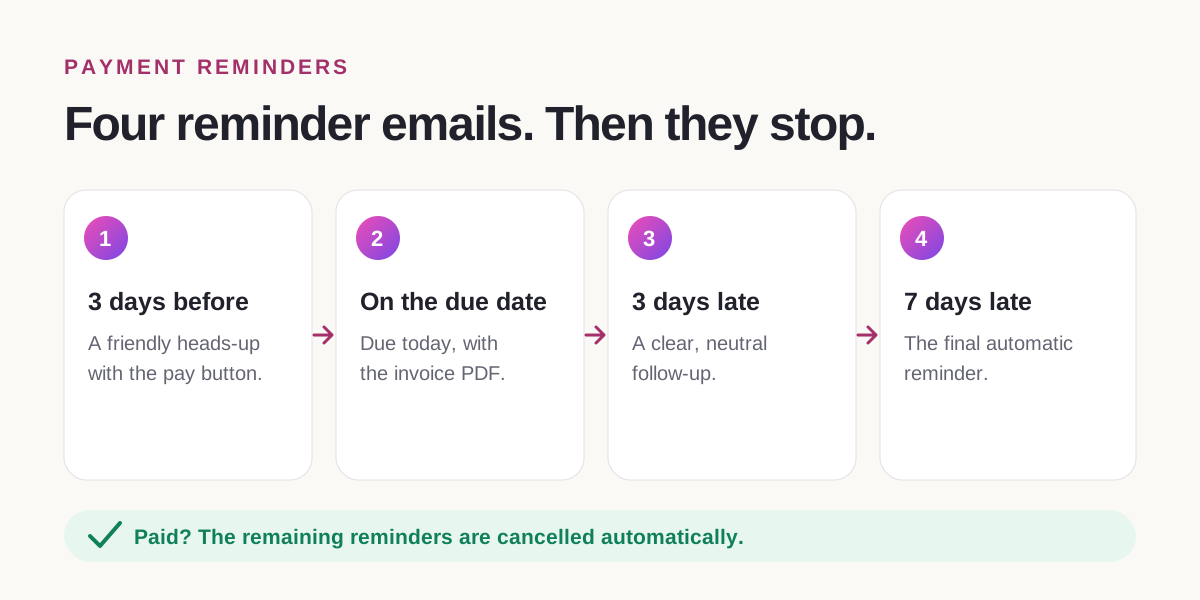
Four touchpoints cover most situations. The first one is not a reminder about lateness at all. It reaches the client while they can still pay on time.
- Lead with the facts: invoice number, amount and due date. Do not open with an apology.
- Ask for one thing only: payment through the link, or a reply if something is blocking it.
- Keep the tone identical in every reminder. Consistency reads as process, not frustration.
- Separate money from the work. Do not mix payment reminders into project updates or feedback threads.
| When | Example subject line | What the email does |
|---|---|---|
| 3 days before the due date | Reminder: INV-024 is due in 3 days | A friendly heads-up with the amount, the date and the payment button |
| On the due date | Due today: INV-024 | States that the invoice is due today and attaches the PDF |
| 3 days after the due date | Payment reminder: INV-024 is 3 days overdue | A clear, neutral follow-up with the same link |
| 7 days after the due date | Final reminder: INV-024 is overdue | The last automatic email before you follow up personally |
When reminders are not enough
If the final reminder passes without payment or a reply, switch from automation to a personal conversation. Most long delays have a cause you can fix: the invoice went to the wrong person, a supplier form is missing, or the approval chain is stuck.
Escalate in steps and keep a written record. The signed agreement, the invoice and the reminder history are what give you leverage if the conversation becomes formal.
- Call or message the person who approved the work and ask whether anything is blocking payment.
- Pause new work on the account if your contract allows it, and say so calmly.
- Send a formal notice with the amount, the original due date, a final date to pay and any statutory interest or fees you are entitled to.
- Consider mediation, a small-claims process or a collection service, and weigh the cost against the amount owed.
How MoodLens runs the payment loop for you
MoodLens To-do connects the steps above, so payment terms, work, invoices and reminders live in one place instead of across a contract tool, a timer, a spreadsheet and your inbox.
Once every required signer has signed a contract, you can create a prefilled invoice draft from it for the deposit, the remaining balance or a milestone. Nothing is sent automatically. When you create an invoice for a project, the builder pulls in that project’s billable work from your task timers, so hours do not get lost between the timer and the invoice.
Each invoice can carry a secure payment link: card payments through your own connected Stripe account, or cryptocurrency through NOWPayments. For bank transfers and other offline payments, you can keep manual instructions on the invoice and record the payment yourself. Your client does not need a MoodLens account to pay. PayPal is coming soon.
Then switch on automatic payment reminders for that invoice. You choose which of four emails MoodLens sends: three days before the due date, on the due date, three days after and a final reminder seven days after. Each goes out at 9:00, includes the invoice PDF and a “View and pay invoice” button, and only goes out while the invoice is unpaid. When the client pays, the remaining reminders stop automatically.
- Reminders need the secure payment link switched on and the invoice already emailed to a valid client address.
- The timing options are fixed to those four emails. You can switch each one on or off per invoice, but not set custom days.
- Payment providers charge their own processing fees.
- Reminders make paying effortless and asking automatic. They cannot guarantee that a client pays.
Chasing by hand vs. a reminder schedule
| Category | MoodLens | Chasing by hand |
|---|---|---|
| Who writes the follow-up | Ready-made reminder emails, sent for you | You, often after several drafts |
| When it goes out | 3 days before, on the due date, then 3 and 7 days after, at 9:00 | Whenever you find the time, or the nerve |
| What the client receives | The invoice PDF and a “View and pay invoice” button | A message asking them to find the invoice |
| When it stops | Automatically, as soon as the invoice is paid | When you notice the payment, or forget to |
| Tone | The same polite wording every time | Swings between apologetic and annoyed |
Frequently asked questions
How long should I wait before chasing an unpaid invoice?
You do not need to wait for the invoice to be late. Send a friendly reminder three days before the due date and another on the due date, then follow up three and seven days after it. Most late invoices are paid within one to two weeks, so a steady schedule in that first week matters most. If the final reminder goes unanswered, follow up personally.
What should a payment reminder email include?
Include the invoice number, the amount, the due date as a real date, a one-click payment link and the invoice PDF. Keep it to one request, keep the tone neutral and do not apologise. Your final reminder can also say what happens next, such as a call or a pause on new work.
Can I charge interest or a fee on late payments?
Often, yes, but it depends on where you and your client are based, whether the client is a business and what your contract says. EU rules for business clients provide statutory interest and at least €40 in fixed compensation, the UK allows 8% above the Bank of England base rate plus a fixed sum, and some US states award double damages for unpaid freelance work. Put your terms in the contract and check the local rules. This is not legal advice.
Should I ask for a deposit before starting?
For most fixed-price projects, yes. A deposit of 30% to 50% before work starts, then the balance or milestones, keeps any single late invoice small. In MoodLens To-do, once every required signer has signed the contract, you can create prefilled deposit, balance or milestone invoice drafts from it.
Does MoodLens send payment reminders automatically?
Yes. For each invoice, you can switch on up to four reminder emails: three days before the due date, on the due date, three days after and seven days after. They go out at 9:00 with the invoice PDF and a payment button, and stop automatically once the invoice is paid. The secure payment link must be on and the invoice already emailed to a valid client address.
Which payment methods can my clients use?
Clients can pay by card through your own connected Stripe account or in cryptocurrency through NOWPayments, without a MoodLens account. For bank transfers or other offline payments, you can add manual instructions and record the payment yourself. PayPal is coming soon. Payment providers charge their own fees.
Related MoodLens workflows
Sources and methodology
Figures come from the surveys and data linked below. Several are published by companies that sell payment or invoicing tools and are labelled as vendor data. MoodLens features were checked against the product in October 2026. Laws change, so check the current rules where you work.
- Remote: The State of Freelance Work 2025 (PDF)
- Bonsai: late freelance payment data
- The Drum: Ignition 2025 agency survey on late payments
- IPSE: late payment within the self-employed sector
- Happy Freelancing: client ghosting
- EUR-Lex: Directive 2011/7/EU on combating late payment
- GOV.UK: late commercial payments, interest and debt recovery
- Mondaq: New York’s Freelance Isn’t Free Act
- Illinois Department of Labor: Freelance Worker Protection Act
- Hunton: California’s Freelance Worker Protection Act (SB 988)