The scope and fee are agreed. Now they need to become a contract, along with your business and client details—not another form filled out from scratch. Explain the engagement in a Moody call, reuse available saved facts and review the terms before saving. This guide follows an illustrative €5,500 website agreement and shows which decisions still belong to you.
The short answer
You can use a Moody call to prepare and save an unsent service contract draft in MoodLens To-do. Select a real accessible project, describe the agreed work, reuse available business and client details, and confirm the reviewed terms. Contract sending and electronic signing happen separately in Contracts; a spoken save confirmation is not a signature.
Prepare an unsent service contract for [existing project name]. Reuse my available saved business and client details. Ask only for missing facts, show me the terms and wait for my confirmation before saving. Don’t send or sign anything.
Use the exact name of a real project you can access. If it doesn’t exist yet, create it first. Missing legal facts must come from you, not guesses.
Try this with Moody
- Sign in to MoodLens and choose the workspace containing your project. You need permission to create contracts.
- Open the Moody assistant, select the phone button and allow microphone access if asked.
- Read the short prompt, supply missing facts and review the terms. Confirm the save, then open Contracts to inspect the unsent draft.
The button opens MoodLens, not a call. Sending and signing are separate steps; a spoken save confirmation is not a signature.
Voice handles the draft; people authorize the agreement
- 1Choose the real project
- 2Reuse available details
- 3Supply missing facts
- 4Review the terms
- 5Confirm the draft save
- 6Send and sign separately
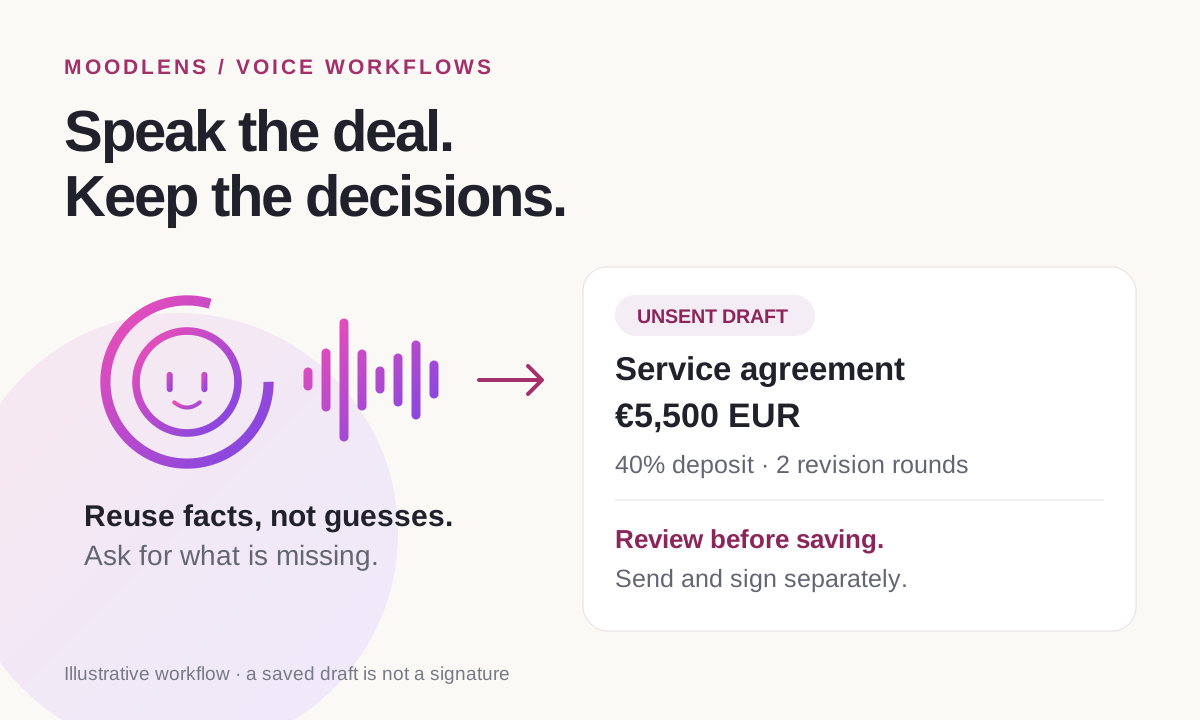
An AI contract generator should preserve the deal, not improvise one
An AI contract generator turns instructions into draft agreement language. That description sounds simple, but there are two very different kinds of information involved: wording the assistant can help draft, and business or legal facts it should not guess.
Moody can organize the service scope, write proposed acceptance criteria and client responsibilities from your requirements, and use MoodLens’s built-in agreement clauses. Your actual legal name, address, client representative, fee, currency, dates and jurisdiction are not creative writing prompts.
MoodLens stores the result as a native contract linked to a real accessible project. You can create the draft directly; an approved proposal is not mandatory. If you do choose to use an approved proposal, make that choice explicit so the agreed terms—not an unrelated budget or old contract—are the starting point.
Reuse saved details without treating every saved value as agreed
Select the workspace and the real project first. Moody can look for available business details and the selected project’s client information within your permissions. Those suggestions reduce repetitive entry; they still belong in the review.
Say “Use my signed-in email as the service provider email” if that is the mailbox you want. Do not assume the contact email, billing mailbox and signed-in account are interchangeable. If your business settings specify a different address, choose the one that should appear on the agreement.
If two projects have similar names, identify the right one. An existing project description is background, not proof that its scope or price was approved. Ask Moody to use the specific deliverables and fee you are providing now.
Before a real client engagement, make sure the provider and client legal identities, representative names, addresses, project dates, jurisdiction and commercial terms are available or ready to supply. Missing facts should produce a question—not a plausible invented address.
A practical voice prompt for a web development contract
This example follows the €5,500 website proposal in our companion guide. It is an illustrative engagement, not legal advice or a contract template for a particular jurisdiction. Choose a real accessible project and replace the example details with your actual agreement.
Notice the explicit request to review before saving and the instruction not to send or sign. They let you try the drafting workflow without treating the conversation as authority to enter an agreement.
Prepare an unsent service contract for the existing Atlas Dental Website project. Reuse my available saved business details and the project’s client details, and use my signed-in email as the provider email. Scope: six responsive pages, editable service content, an appointment request form, basic search metadata, analytics, testing and a handover session. Any scheduling integration is subject to confirming API access during discovery. The fixed fee is €5,500 in EUR, with a 40% deposit and a 14-day payment term. Include two design revision rounds. Exclude a new brand identity, paid advertising and third-party subscriptions. Use the built-in agreement clauses and draft acceptance criteria and client responsibilities for me to review. Ask for missing legal names, addresses, dates or jurisdiction rather than inventing them. Show the full preview and wait for my confirmation before saving. Do not send or sign anything.
A 40% deposit specifies €2,200 of the €5,500 fee. A 14-day payment term specifies how long an issued payment request remains payable; it does not, by itself, say when each remaining milestone is invoiced. If you intend to carry over the proposal’s 40% / 40% / 20% schedule, state that clearly and check that the agreement reflects it.
Do not copy the example’s exclusions if they contradict what you sold. If SEO strategy is included but paid advertising is excluded, say precisely that. An exclusion should narrow the agreed work, not quietly remove a promised deliverable.
Review five things before saying “save the draft”
A contract can have every required field filled and still contain the wrong commercial decision. Completion checks are useful, but they are not legal review and they do not prove that the agreement protects your business.
Read the preview against the conversation that produced it. If a fee, project, date or revision allowance is wrong, ask for a new preview with the correction before confirming. A prior “yes” should not authorize newly changed terms.
| Check | What to verify |
|---|---|
| Parties and project | The right project, legal names, representatives, addresses and provider email. |
| Scope and acceptance | Concrete deliverables, integration conditions and a clear way to check completion. |
| Money | €5,500 EUR throughout; the intended deposit, payment terms and applicable tax treatment. |
| Dates and revisions | Real effective/start/end dates and the revision allowance you actually offered. |
| Legal terms | Jurisdiction, obligations, exclusions and native clauses suitable for this engagement. |
Have a qualified legal professional review terms when the engagement, jurisdiction or risk calls for it. Moody’s role is to help you prepare and organize a draft, not to guarantee enforceability or supply jurisdiction-specific legal advice.
Saving a draft is not sending it—and not signing it
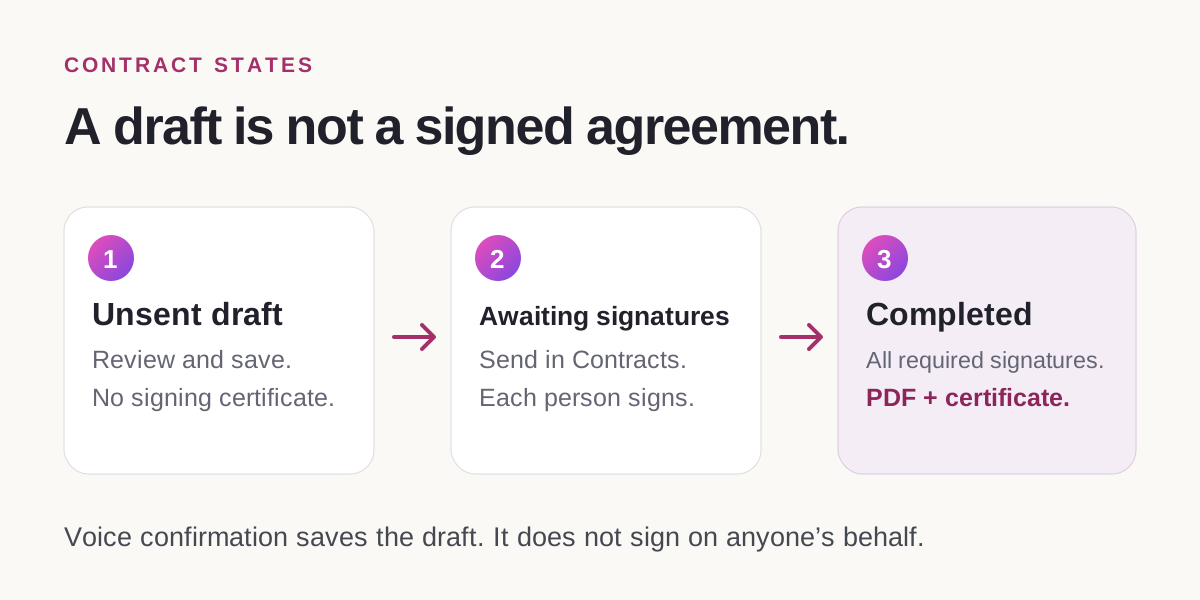
After reviewing the terms, say “Yes, save the draft.” Then open Contracts and inspect the saved agreement. The voice drafting tools create or edit unsent drafts; they do not send a contract or sign on anyone’s behalf.
An unsigned draft PDF will not contain an electronic signature certificate. That is expected. Confirming Moody’s save action is permission to save those reviewed terms, not evidence that you or the client signed them.
When the agreement is ready, send it through Contracts and complete the separate signing process. Every required signer, including the provider, must sign. MoodLens produces the completed PDF with its electronic signature certificate after that process finishes. The certificate records the signing and document-integrity evidence associated with the agreement.
For a test, keep the draft unsent and clearly label any fictional details. Do not send a fictional agreement to a client merely to make a signature certificate appear.
Use the same drafting boundary with AI employees and MCP
Moody is not the only entry point. AI employees with the appropriate workspace access, and compatible external AI clients connected through MoodLens’s MCP server, can prepare and create native contract drafts using the contract tools.
That access is scoped. The assistant should use the selected project, preserve your explicit facts and show the proposed terms before a write is approved. A connected AI is not entitled to read hidden projects, substitute a different client or act as a signer.
If an employee or external AI says it lacks access, check its workspace permissions rather than asking it to work around them. For a first test, use an unsent draft, ask for one fee or scope change, and verify the saved record in Contracts.
The hands-free benefit is real but specific: less retyping between the conversation and the draft. The agreement still needs your commercial judgment, an appropriate legal review and each signer’s consent.
Frequently asked questions
Can Moody create a contract without an approved proposal?
Yes. Moody can prepare a native contract draft directly for a real accessible project. Approved-proposal handoff is a separate option, not a requirement for direct drafting.
Can Moody reuse my saved business details and my email?
It can reuse available saved business and selected client details within your permissions. Explicitly request your signed-in email if that is the provider mailbox you want. Review every reused identity field before saving or sending.
Will the AI fill missing legal facts for me?
For real work, it should ask rather than invent legal identities, addresses, dates, jurisdiction or payment commitments. It can help draft wording and proposed acceptance criteria from your stated requirements. Missing facts are different from missing prose.
Can I send or sign the contract just by confirming the voice draft?
No. “Yes, save the draft” saves the reviewed agreement as an unsent draft. Contract sending and electronic signing happen separately in Contracts; the voice drafting tools do not sign on your behalf.
Why is there no electronic signature certificate in my draft PDF?
The certificate is generated for the completed signed PDF, after every required signer has signed. An unsigned draft has no completed signature evidence to certify, even if all its drafting fields are filled.
Does an AI-generated contract replace legal review?
No. A complete draft is not a guarantee of legal suitability or enforceability. Review the terms and seek qualified legal advice where the engagement, jurisdiction or risk requires it.