“That’s more than we expected.” Most web designers hear it regularly, and the instinct is to drop the price. Usually that is the wrong move. This guide explains what “too expensive” really means, the one question to ask first, replies you can copy and how to offer a smaller scope instead of a discount.
The short answer
When a client says your website is too expensive, don’t discount straight away. Ask one question first: “What were you expecting to invest?” or “Compared with what?” Then answer the real objection: explain what the price includes, compare scopes line by line with a cheaper quote, or offer a smaller scope at a lower price, such as fewer pages, a template-based design or copy the client writes. Keep your rate; change what the client gets. You are not alone: in a 2026 survey of 500 US web designers by 20i, 89% said clients underestimate what web design costs. In MoodLens To-do you can send the smaller option as a revision of the proposal, which the client approves from a secure link.
From “too expensive” to approved
- 1Price objection
- 2One question
- 3Real reason found
- 4Scope explained
- 5Smaller option sent
- 6Proposal approved
Why “too expensive” rarely means no
Price objections come with selling websites. In 20i’s survey of 500 US web designers, published in March 2026, 89% said clients underestimate what web design costs, and 66% said declining or limited budgets had been a challenge.
“Too expensive” is rarely a final answer. It usually means one of four things, and each needs a different reply.
- They don’t see the value yet: the price arrived before the explanation.
- They are comparing different things: a template, a website builder or a quote with half the scope.
- They have a real budget limit and don’t want to say the number.
- They are negotiating, because asking costs nothing.
Ask one question before you answer
Don’t defend the price until you know what the objection is. One calm question usually reveals it: “What were you expecting to invest?” or “Compared with what?”
| They say | It often means | Reply with |
|---|---|---|
| “That’s more than we expected.” | They had no figure in mind | Ask for their range, then walk through the phases |
| “Someone quoted half that.” | The quotes cover different work | Compare the two scopes line by line |
| “Website builders are much cheaper.” | Doing it themselves vs. having it done | List what they would have to do themselves |
| “Can you do it cheaper?” | They are negotiating | Keep the price and offer a smaller scope |
| “We don’t have the budget right now.” | Timing, not value | Split the work into phases |
Replies you can copy
Answer in writing when you can, so the client can share your reply with whoever approves the budget.
- When they had no figure in mind: “That’s fair, most people don’t buy a website often. Could you share the range you had in mind? I’ll show you what fits in it.”
- When they compare quotes: “Happy to compare. Could you send me the other quote? Let’s check that both include the same pages, copywriting, revisions and launch support.”
- When they mention website builders: “A builder is a good choice if you have time to set it up yourself. My price covers the strategy, design, build, testing and launch, so you don’t have to.”
- When they ask for a discount: “I keep my rates the same for every client, but we can change the scope. Here is a version with five pages instead of eight that sits closer to your budget.”
- When the budget isn’t there yet: “We could launch a one-page site now and add the other pages next quarter, as a second project.”
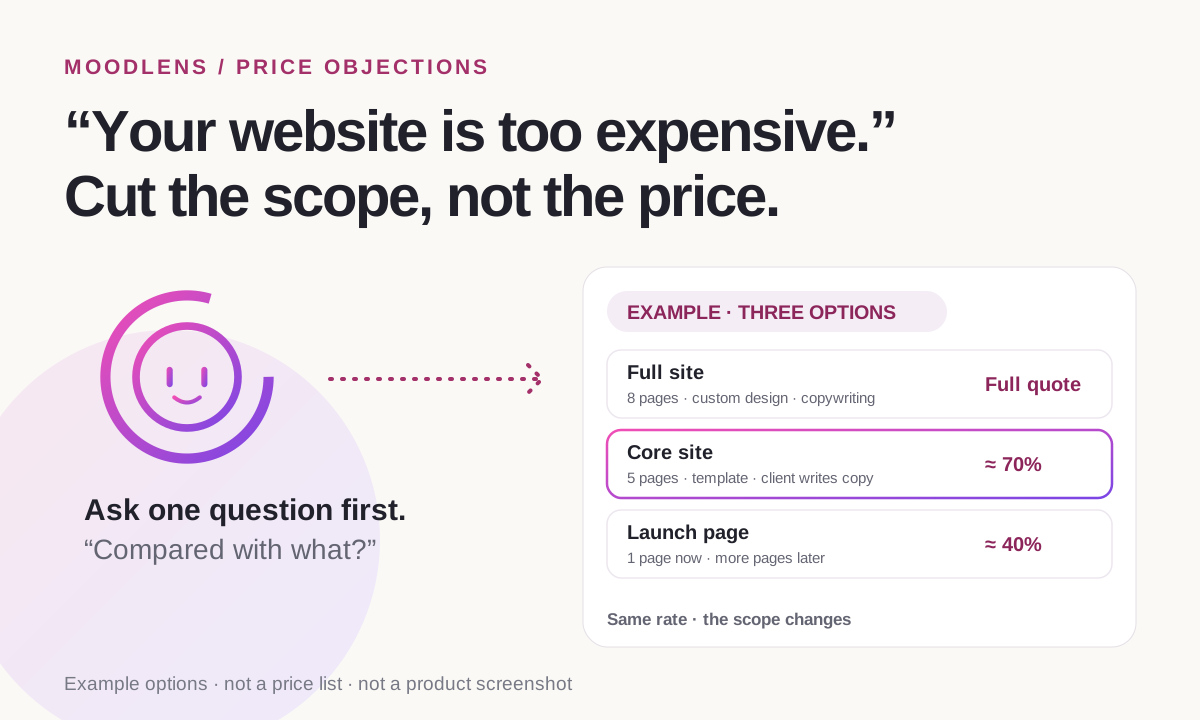
Cut the scope, not the price
A discount tells the client your price was soft, and the next negotiation starts from the lower number. A smaller scope keeps your rate and gives the client a real choice. Prepare two or three options before the call, so you are not inventing them under pressure.
- Remove work, not quality: fewer pages, fewer revision rounds or content the client supplies.
- Write down what the smaller option leaves out, so it doesn’t creep back in.
- Offer a monthly care plan after launch to spread the total cost over time.
| Option | What’s included | Price |
|---|---|---|
| Full site | 8 pages, custom design, copywriting and two revision rounds | The full quote |
| Core site | 5 pages on a template-based design, copy written by the client and one revision round | About 70% |
| Launch page | One page now; more pages added later as a new project | About 40% |
When to walk away
Some objections are a signal, not a negotiation. If the client wants the full scope at a fraction of the price, a reduced project now rarely turns into a fair one later.
- The budget is a fraction of the leanest option you can deliver well.
- They want everything in the full option for the price of the leanest one.
- They criticise your work to push the price down.
- They ask you to start before anything is agreed in writing.
How MoodLens helps you send the smaller option
In MoodLens To-do, the price lives in a proposal with the scope beside it, so the client sees what they are paying for, not just a number.
When the client asks for less, create a revision of the proposal with the smaller scope and a new validity date. The earlier version shows as Revised, and the client approves the new one from a secure link after confirming their email with a one-time code, without creating an account. MoodLens records who approved and when.
If you turn it on, approval also creates a contract draft. Once every required signer has signed the contract, you can create the deposit invoice from it.
- MoodLens does not set your prices or build packages for you. Each option is its own proposal or revision.
- On the Free plan you can send 3 proposals a month; Plus and Pro have no monthly limit.
- Approving a proposal is not a signature. Use the contract for that.
A price in an email vs. a proposal in MoodLens
| Category | MoodLens | A price in an email |
|---|---|---|
| How the price is shown | Next to the scope, line by line | One number in a message |
| A smaller option | Sent as a revision; the earlier version shows as Revised | Another attachment in a long thread |
| Client approval | From a secure link with a one-time code, no account | “Sounds good” in an email |
| How long the price holds | A validity date on the proposal | Open-ended |
| After approval | An optional contract draft, then a deposit invoice once it is signed | Retyped into a contract and an invoice |
Frequently asked questions
How do I respond when a client says my price is too high?
Ask one question first, such as “What were you expecting to invest?” Then answer the real objection: explain what the price includes, compare scopes with the cheaper quote, or offer a smaller scope at a lower price.
Should I give a discount to win a web design client?
Usually not. A discount lowers your rate and sets the starting point for the next negotiation. Reducing the scope keeps your rate and still lowers the total.
How do I justify my web design price?
Show the work behind it: discovery, design, build, content, testing, launch and support, with the time each takes. A price shown next to its scope is easier to accept than a single number.
What if the client compares me with a website builder?
Agree that a builder costs less if they have the time and skills to do the work themselves, then list what your price covers that they would otherwise do alone.
Can I send a cheaper option in MoodLens?
Yes. Create a revision of the proposal with the smaller scope. The earlier version shows as Revised, and the client approves the new one from a secure link without an account. On the Free plan you can send 3 proposals a month; Plus and Pro have no monthly limit.
Related MoodLens workflows
Sources and methodology
The survey figures come from 20i’s 2026 Web Designer Survey of 500 US web design professionals (data as of February 2026, published 16 March 2026); 20i sells web hosting. The replies, options and percentages are examples, not pricing advice. MoodLens features were checked against the product in November 2026.