You know what the client needs. Turning that conversation into scope, deliverables, a timeline and a price is the part that takes another round of work. Tell Moody the brief, review the proposal it prepares and save it in Proposals—without typing every field. Here is an illustrative €5,500 website engagement, including the details worth checking before it reaches a client.
The short answer
You can create a client proposal by speaking to Moody in MoodLens To-do. Describe the client, scope, timeline, price and currency; answer any missing questions; then confirm the draft. The saved proposal lives in Proposals, where you can download a PDF or send a secure email-verified approval link. Drafting does not automatically send it.
Help me create an unsent website proposal for [client name]. Ask me for the scope, timeline and price I haven’t provided. Show me the draft and wait for my confirmation before saving. Don’t send anything.
Replace [client name] with your client. You can explain the remaining details during the call; you don’t need a finished brief to start.
Try this with Moody
- Sign in to MoodLens and choose a workspace where you can create proposals.
- Open the Moody assistant, select the phone button and allow microphone access if asked.
- Read the short prompt, answer the missing questions and review the preview. Confirm the save only when the offer is right.
The button opens MoodLens, not a call. You start the call yourself. Saving the draft does not email a client.
From spoken brief to client review
- 1Describe the work
- 2Answer missing questions
- 3Review the draft
- 4Confirm the save
- 5Download or send
- 6Track client approval
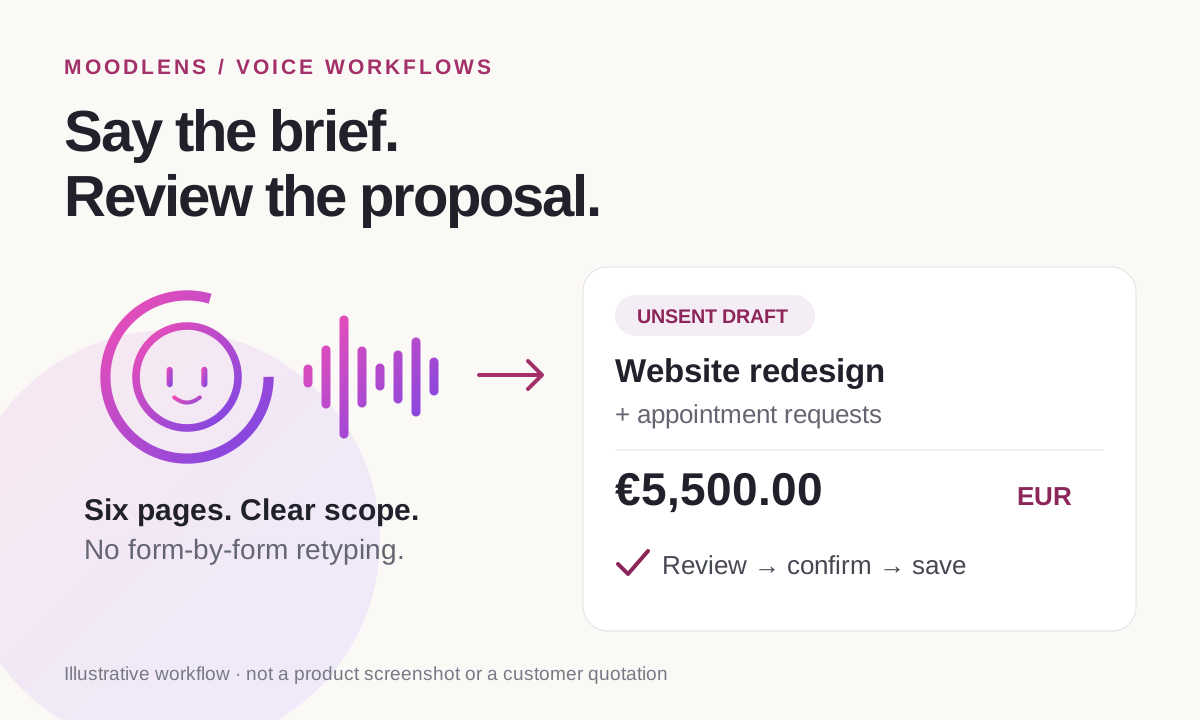
What a voice-first AI proposal generator actually does
This is spoken input, not a request to make an email sound “more like you.” Start a Moody call in the workspace where you want the proposal. Explain the engagement as you would to a colleague who will write up the offer. You do not have to fill every section of a proposal wizard before the assistant can start.
The useful output is a native proposal draft—not a paragraph in chat that you still need to paste into a document. Moody can structure your requirements into an objective, deliverables, technical approach, dependencies, timeline, acceptance criteria and pricing. You still supply the decisions that make the offer yours.
Proposals can come before a project exists. An existing project is optional context, not a prerequisite for making the offer. If you choose one, review the reused information; a project budget is not automatically the price you intend to quote.
A spoken brief you can adapt for a website proposal
The following is an illustrative web agency engagement for Atlas Dental Clinic, not a customer case study or a live quotation. Replace the client, scope and commercial terms with facts you have actually agreed to offer.
A good brief includes enough boundaries to prevent a persuasive-sounding draft from quietly promising more work. This one says appointment requests, identifies the scheduling dependency and makes the exclusions explicit.
- If patients will actually reserve available slots, say that instead—and agree the integration before promising it.
- Only offer the revision allowance and support period if your team intends to deliver them.
- If the price or timeline is not settled, say so. Ask for a draft to review rather than allowing an assumption to become an offer.
Create an unsent proposal for Atlas Dental Clinic titled “Website redesign and appointment request system.” The objective is a mobile-friendly website that explains the clinic’s services and lets patients request an appointment. Scope: six responsive pages, editable service content, an appointment request form, basic search metadata, analytics, testing and a handover session. Use Next.js and an editable CMS. Any integration with the clinic’s scheduling system is subject to confirming API access during discovery. Allow six weeks after we receive the content, access and deposit. Price the work in EUR: €500 discovery, €1,200 design, €2,800 development and €1,000 integration, testing and launch. Payment is 40% upfront, 40% at the working preview and 20% at launch. Include two design revision rounds and 14 days of post-launch bug-fix support for the agreed scope. Exclude a new brand identity, paid advertising and third-party subscriptions. Ask about missing facts, show me the proposal and wait for my confirmation before saving. Do not send anything.
Check the €5,500 price, not just the writing
Read the pricing section as if you were the client checking whether the offer is trustworthy. EUR must stay EUR in the price items, total, review page and downloaded PDF. “EUR” in a paragraph does not make a dollar-denominated total correct.
The proposed payment percentages add up to 100%. They describe when the fee is due; they do not create invoices or collect a payment merely because the proposal exists. Do not describe those milestones as already invoiced or paid.
- 40% upfront: €2,200.00.
- 40% at the working preview: €2,200.00.
- 20% at launch: €1,100.00.
- Clarify any applicable tax and whether it is included; do not let the assistant invent your tax treatment.
| Work item | Amount |
|---|---|
| Discovery | €500.00 |
| Design | €1,200.00 |
| Development | €2,800.00 |
| Integration, testing and launch | €1,000.00 |
| Total | €5,500.00 |
Give the client a clear boundary around the work
The prettiest sentence in a proposal is not necessarily the most useful one. “A seamless digital experience” tells the clinic very little. “A patient can submit an appointment request on mobile, receive a confirmation message and have the request delivered to the agreed clinic contact” gives both sides something concrete to check.
Review the dependencies with equal care. The clinic may need to supply copy, photography, service details, access credentials and feedback. If the six-week schedule depends on those inputs, make the dependency visible rather than burying it in the small print.
Ask Moody to revise an unclear section before approving the draft. For example: “Call it an appointment request system everywhere. Do not promise real-time availability. Keep the €5,500 EUR price and the existing payment milestones unchanged.” Then review the revised terms, not just the assistant’s acknowledgement.
- What is included, and what is explicitly outside the offer?
- What does “finished” mean for each deliverable?
- How many revision rounds are included, and at what stage?
- What must the client provide, and when?
- Which integrations depend on discovery or third-party access?
Save the proposal by voice; send it only when you are ready
Once Moody has presented the draft, give a separate confirmation such as “Yes, save the draft.” Confirmation saves the reviewed proposal. It is not permission to email a client, approve on their behalf or sign a contract.
Open Proposals to inspect the saved record. You can download its PDF for a client who prefers an attachment, or send a secure review link. A PDF on its own is not the same as the tracked approval workflow.
When sending for approval, choose the actual recipients and check their email addresses. Each recipient verifies their own email with a one-time code, reviews the proposal and approves it. With multiple recipients, the proposal becomes fully approved only after every recipient has approved. You can see the approval state in the workspace rather than inferring it from a vague “looks good” message.
If you want proposal approval to create a contract draft, deliberately enable that automation before sending. It defaults off. The resulting contract still needs its legal and signing details reviewed; it is not automatically signed or sent as a final agreement.
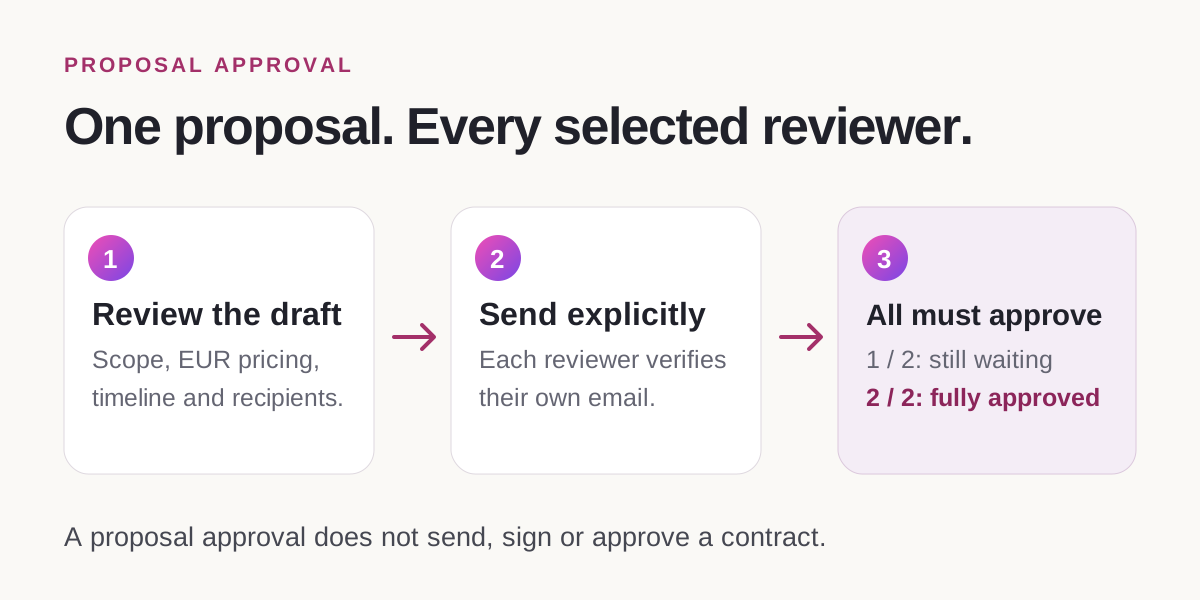
Try it without risking a real client offer
For a first run, use a clearly named test proposal and keep it unsent. Include a small, known scope and a specific currency. Ask Moody to show the draft, request one change, then approve the save. Open the proposal and inspect the PDF to check that the change and currency survived.
That is a better trial than asking for “a professional proposal” and judging whether the wording sounds impressive. You are testing whether your spoken decisions survive the whole workflow: input, review, saved record and export.
When it is time for real work, use the client’s actual details and review every commercial promise. Voice removes the form-filling step. It does not remove responsibility for the offer.
Frequently asked questions
Can I create a proposal without typing every field?
Yes. In a Moody call, describe the engagement, answer missing questions and confirm the reviewed draft. You still need to supply or approve the scope, price, currency and timeline. Start the call and review the result; “voice-first” does not mean an unreviewed offer is sent automatically.
Do I need an existing project to create a proposal?
No. A proposal can be created before the client project exists. If you select an existing project, treat its reused context as information to check, not automatic approval of its scope or budget as your quoted price.
Can I download the proposal as a PDF?
Yes. The dedicated Proposals page provides PDF download. Check the client name, scope, exclusions, price items and currency in the exported copy before sharing it.
Can I send one proposal to several client reviewers?
Yes. MoodLens supports separate email-verified review links for multiple recipients. Every selected recipient must approve before the proposal is fully approved; one approval does not stand in for the other reviewers.
Does proposal approval automatically sign a contract?
No. Proposal approval and contract signing are separate. Optional proposal-to-contract automation can create a contract draft after approval, but sending the contract and signing it still require their own human actions.