“Any update?” usually means the client has not heard from you for a while, not that the work is late. A short, regular update prevents most of those emails. This guide covers how often to update, what a status update should say, a weekly template you can copy, how to ask for feedback that actually arrives and how a live client view replaces most status calls.
The short answer
Update web design clients once a week, on the same day, even when little has changed. Keep each update to four parts: what was done, what is next, what you need from the client and by when, and whether the launch date still holds. Ask for feedback with one clear question and a deadline. Between updates, a live client view lets the client check progress on their own. In MoodLens To-do (Plus and Pro), a client link shows progress by status and what changed since the client’s last visit, lets the client reply with Looks good, Question or Change request, and can email them a report every week, every two weeks or every month.
One week of client updates
- 1Work moves on the board
- 2Client checks the live view
- 3Weekly report goes out
- 4Client replies with feedback
- 5Team is notified
- 6Next week is planned
Why clients ask “any update?”
Clients rarely ask because they think you are slow. They ask because they paid a deposit and cannot see the work. Silence feels like risk, and an email is the only way they have to check.
The fix is predictability: the client should know when the next update arrives and where to look in between.
- The client cannot see the work in progress.
- Updates arrive irregularly, or only when something is ready to review.
- Feedback requests are vague, so they sit unanswered.
How often to update, and through which channel
A weekly update on a fixed day suits most website projects. Add a message at each milestone and the same day if something changes. The rhythm matters more than the format.
| When | What | Channel |
|---|---|---|
| Every week, same day | Status update: done, next, needed, date | Email or client portal |
| At each milestone | Design ready for review, staging site ready | Email with a link and a feedback deadline |
| When something changes | A delay, a risk or an extra request | A message the same day, with options |
| Any time | Progress the client wants to check | A live client view |
What a good status update says
A useful update can be read in thirty seconds. Lead with whether the launch date still holds, then give the details.
- Done this week: two or three concrete results, not a list of hours.
- Next week: what the client can expect to see.
- Needed from you: one item at a time, with a date.
- Launch date: on track, at risk or moved, and why.
A weekly update template you can copy
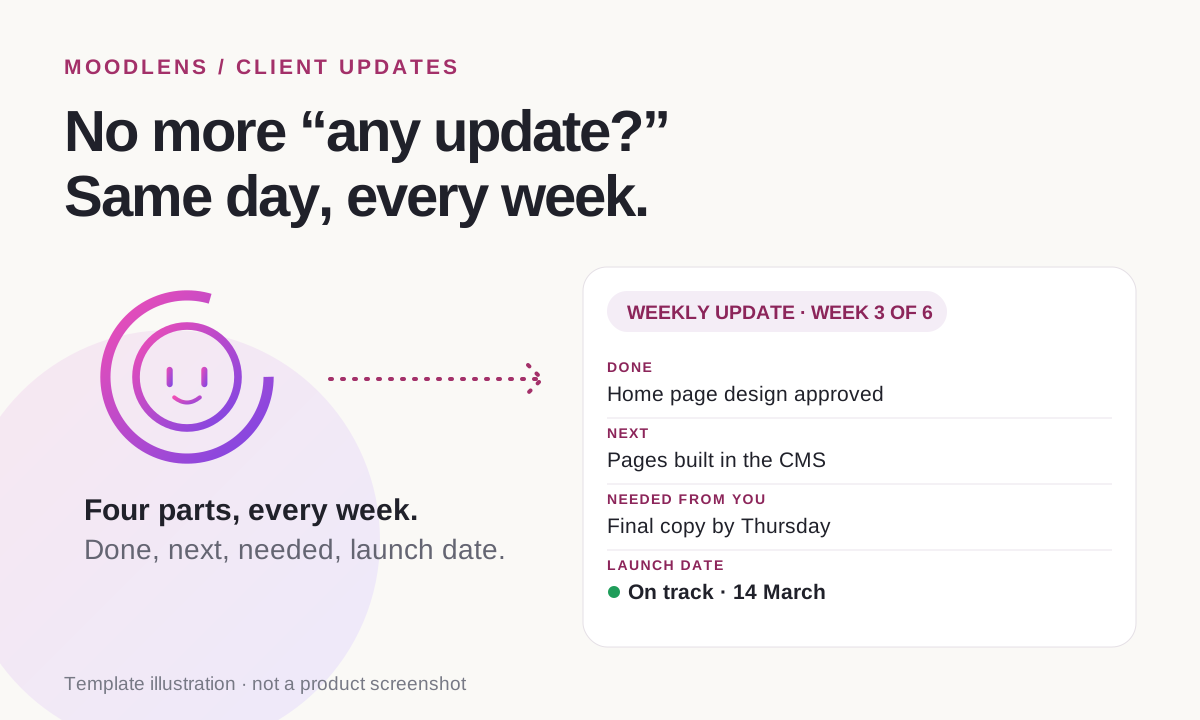
Copy the lines below into your update and replace the examples. Keep the order the same every week, so the client knows where to look.
- Subject: Website update · week 3 of 6
- Done this week: home page design approved, inner page templates designed.
- Next week: pages built in the CMS and the contact form set up.
- Needed from you: final copy for About and Services by Thursday.
- Launch date: still on track for 14 March.
- One question: should the blog launch with the site or a month later? A yes or no is enough.
Ask for feedback that actually arrives
Feedback is where schedules slip quietly. Elementor’s June 2026 guide makes the point that a designer who waits three days for approval on a mockup “just lost three days”.
- Ask one specific question at a time.
- Give a deadline, and say what happens after it, such as “if we don’t hear by Thursday, we’ll go ahead with option A”.
- Keep approvals, questions and change requests apart, so a change request is priced before it is done.
- Collect all feedback in one place, not across email, chat and calls.
How MoodLens gives your client a live view
MoodLens To-do keeps the client in the same project your team works in, without giving them access to your workspace.
Share a board with your client and they get a read-only client page: progress by status, the latest update, the docs you choose to share and what changed since their last visit. You choose which statuses and details appear, and you can protect the link with a password and an expiry date.
From that page, the client can send the team feedback as Looks good, Question or Change request, and your team is notified inside MoodLens. The client can also sign up for an email report every week, every two weeks or every month, so the update still arrives on a busy week.
- Client sharing is included in Plus and Pro.
- The client page is read-only, and only the fields you choose are shown. Internal chat stays private.
- A live view supports your weekly update. It does not replace a conversation when something goes wrong.
Status calls and emails vs. a live client view
| Category | MoodLens | Status calls and emails |
|---|---|---|
| When the client can check | Any time, from a link | When you send an update or book a call |
| What changed | “Since last visit” shows it | The client rereads the whole thread |
| Feedback | Looks good, Question or Change request, in one place | Spread across email, chat and calls |
| Regular reports | An email every week, two weeks or month | Written by hand each time |
| Your time | Progress comes from the work itself | Time spent writing and calling |
Frequently asked questions
How often should I update a web design client?
Once a week on a fixed day works for most website projects, plus a message at each milestone and on the same day if something changes. Short, regular updates prevent most “any update?” emails.
What should a project status update include?
What was done, what is next, what you need from the client and by when, and whether the launch date still holds. Lead with the date and keep it short.
Should I use email or a client portal for updates?
They work best together: a short weekly email with the key points, and a live client view the client can check between emails. The portal also keeps feedback in one place.
How do I get clients to give feedback on time?
Ask one clear question, give a deadline, say what will happen if there is no answer and agree a feedback window, such as two working days, in the contract.
Can my client see progress in MoodLens without an account?
Yes, on Plus and Pro. You share a board through a client link; the client sees progress, changes since their last visit and shared docs, can send feedback and can sign up for regular email reports. You can add a password and an expiry date.
Related MoodLens workflows
Sources and methodology
This is a practical guide: the update rhythm and the template are recommendations, not survey results. The quote on approval delays comes from Elementor, which sells a website builder. MoodLens features were checked against the product in November 2026.