The site is live, the client seems happy with it and the final invoice is still unpaid. Switching the site off is tempting. Don’t. This guide shows what to do instead: find out why they haven’t paid, escalate in writing step by step, send the emails below and set up your next project so the balance is paid before launch.
The short answer
If a client refuses to pay for a website, don’t take the site down or delete files: on hosting the client controls, that can be treated as unauthorized access and it weakens your claim. Stop further work, keep what you haven’t handed over yet (files, source code and logins), find out why they haven’t paid and escalate in writing: a friendly reminder, a firm reminder and a call, a final notice, then a formal demand letter with a deadline, and small claims or collections after it. Next time, take a deposit, bill in milestones and launch only once the final invoice is paid. In MoodLens To-do, deposit, balance and milestone invoices come from the signed contract, the client pays by card from a secure link, and automatic reminders (Plus and Pro) stop when the invoice is paid.
From unpaid balance to paid
- 1Invoice due
- 2Friendly reminder
- 3Firm reminder and a call
- 4Final notice, work paused
- 5Formal demand letter
- 6Paid, or small claims
First: don’t take the site down
When a client stops paying, switching the site off feels like leverage. In September 2025, a designer’s story spread online: after a client refused to pay the rest of the fee, the designer replaced the site with a loading bar stuck at 33% and deleted the old site files using FTP details that still worked. The article that reported it warned that deleting the files could create legal liability, and commenters pointed out that court costs could end up larger than the debt.
Developers have warned about this for years: logging into a client’s server to remove your work can be treated as unauthorized access, even if you wrote the code. Whatever the law says where you work, it turns a client who owes you money into a client with a complaint against you.
- Stop further work, and say so in writing.
- Keep what you have not handed over yet: design files, source code and the transfer of domains or logins.
- Keep every message, invoice and approval. You may need them later.
- Read your contract: payment terms, late fees and when ownership passes to the client.
Find out why they haven’t paid
Most unpaid balances are not fraud. Before you escalate, find out which of these it is, because each one has a different fix.
| Reason | What it sounds like | What to do |
|---|---|---|
| They forgot, or the invoice got lost | Silence, then “sorry, missed this” | Resend it with a payment link and a due date |
| Cash-flow trouble | “Can we pay next month?” | Agree a written payment plan with dates |
| Unhappy with the result | “It’s not what we asked for” | Compare with the approved scope and fix real gaps quickly |
| They think something was included | “We thought that was part of it” | Show the approved proposal and price the extra separately |
| They don’t intend to pay | No replies at all | Escalate in writing, step by step |
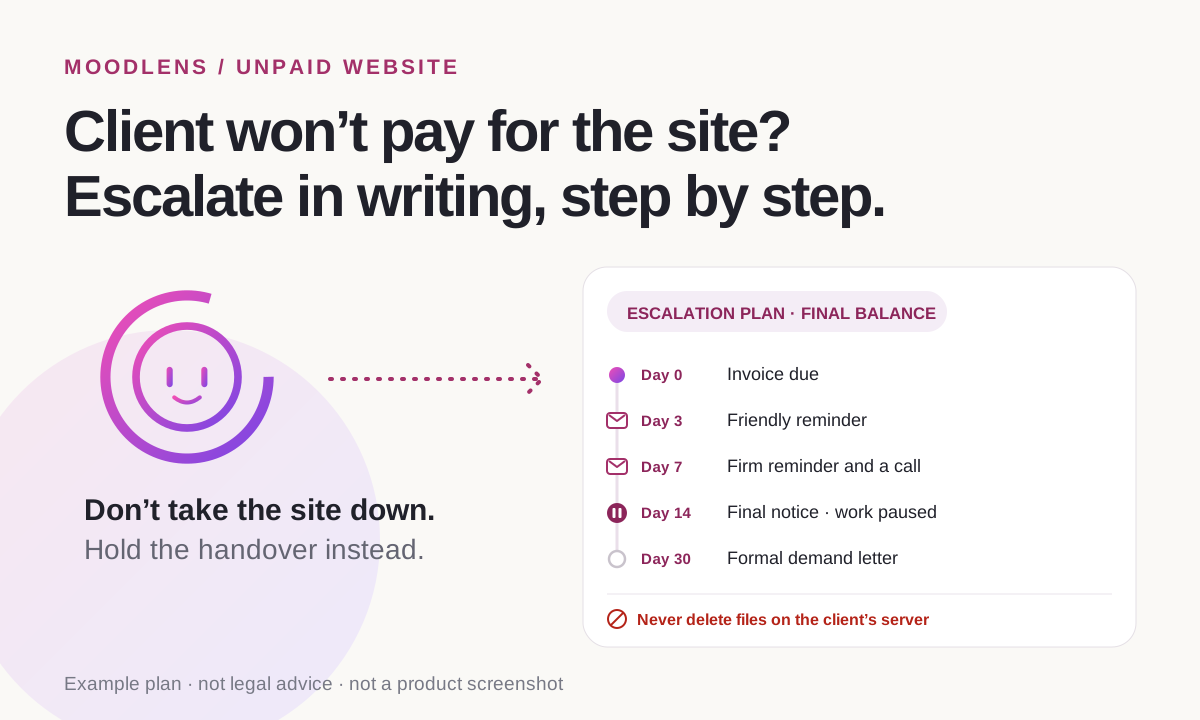
The escalation plan: from reminder to demand letter
Keep every step in writing and give each one a date. A calm, predictable sequence gets more balances paid than one angry email.
Rules on recovering debts differ by country and state, and this is not legal advice. For larger amounts, a short consultation with a lawyer usually costs less than guessing.
| When | Step | How |
|---|---|---|
| Day 0 | Invoice due | An invoice with a payment link and clear terms |
| Day 3 | Friendly reminder | Email: the amount, the date and the link |
| Day 7 | Firm reminder and a call | Email, then a phone call the same day |
| Day 14 | Final notice; work paused | Email: what happens next, and when |
| Day 30 | Formal demand letter | A letter with a deadline, often from a lawyer |
| After the deadline | Small claims, collections or letting it go | Weigh the amount against the time and cost |
Emails you can copy
Keep them short and factual. Name the invoice, the amount and the date every time, and never threaten something you won’t do.
- Friendly reminder: “Hi Sam, a quick reminder that invoice 1042 for $2,400 was due on 3 March. Here is the payment link: [link]. Thanks!”
- Firm reminder: “Hi Sam, invoice 1042 for $2,400 is now 7 days overdue. Could you pay it by Friday, or tell me when it will be paid? I’ll call you this afternoon.”
- Final notice: “Hi Sam, invoice 1042 is now 14 days overdue. I’ve paused further work and the handover of the design files until it is paid. If it isn’t paid by 31 March, I’ll send a formal demand.”
- Payment plan: “If paying in full is hard right now, we can split the balance into two payments, on 15 and 30 April. Reply and I’ll send the updated invoices.”
- Formal demand: “This is a formal demand for $2,400 under our agreement of 10 January. Please pay by 15 April. After that date, I will take further steps to recover the debt.”
Set up the next project so the balance is paid before launch
On the Web Designer Forum, a designer whose client paid weeks late asked whether others hold the launch until the final payment. The replies agreed: get paid first, and bill in milestones so the last payment is only a fraction of the total.
- Take a deposit before any work starts. Dribbble’s guide on ghosting clients suggests 25 to 50% of the total.
- Bill the rest in milestones, such as design approved and site ready on staging, so the final payment is small.
- Launch on payment: send the final invoice when the site is ready on staging, and go live once it is paid.
- Say in the contract that ownership of the design and code passes to the client on final payment.
- Add a late-payment clause and send reminders on a fixed schedule, so chasing never feels personal.
How MoodLens keeps the final balance from going missing
MoodLens To-do keeps the money side of a project in the same workspace as the work: the proposal the client approved, the contract they signed and every invoice for the project.
Once every required signer has signed the contract, you can create deposit, balance or milestone invoice drafts from it. Nothing is sent automatically. Each invoice can have a secure payment link, so the client pays by card through your own connected Stripe account, or in crypto.
On Plus and Pro, automatic reminders go out 3 days before the due date, on the due date, and 3 and 7 days after it, and stop as soon as the invoice is paid. You can also add an Invoices tab to the client’s live project link, where the client sees what is paid, what is pending and a Pay now button.
- MoodLens cannot make a client pay, and it is not a legal service.
- Reminders need a payment link and a valid client email. On the Free plan you can still send a reminder yourself from the invoice.
- Automatic reminders and the client link are included in Plus and Pro.
Chasing a balance by hand vs. with MoodLens
| Category | MoodLens | Chasing by hand |
|---|---|---|
| Deposit before work | A deposit invoice drafted from the signed contract | Remembered, or not |
| Reminders | Sent 3 days before, on the due date, and 3 and 7 days after (Plus and Pro) | Written one by one, often late |
| Paying | By card from a secure link, through your own Stripe account | Bank details copied from a PDF |
| When the client pays | Reminders stop and the invoice shows as paid | You check the bank and update a spreadsheet |
| Proof of what was agreed | The approved proposal and signed contract in the same project | Spread across email threads |
Frequently asked questions
Can I take down a website if the client doesn’t pay?
It is risky. If the site runs on hosting the client controls, removing it or deleting files can be treated as unauthorized access, and it weakens your position. Pause further work, keep what you haven’t handed over yet and escalate in writing instead. Check your contract and local law.
Should I hand over a website before the final payment?
Ideally not. Many designers launch only after the final invoice is paid, and bill in milestones so the last payment is a fraction of the total. Put this in the contract before the project starts.
How long should I wait before escalating an unpaid invoice?
A common rhythm is a friendly reminder 3 days after the due date, a firm reminder and a call at 7 days, a final notice at 14 days and a formal demand around 30 days. Adjust it to the amount and to your contract.
What if the client says they are unhappy with the website?
Compare the complaint with the approved proposal and the contract. Fix genuine gaps quickly and in writing, and price anything outside the scope as a separate request. Being unhappy is not a reason to ignore an invoice for approved work.
Can MoodLens chase unpaid invoices for me?
On Plus and Pro, MoodLens sends automatic reminders before and after the due date and stops when the invoice is paid. The client pays from a secure link, by card or in crypto. MoodLens cannot force a payment or take legal action for you.
Related MoodLens workflows
Sources and methodology
The escalation plan and the emails are practical templates, not legal advice: rules on recovering debts differ by country and state. The stories come from the sources below; the Hacker News discussion is from 2010 and is cited for its warning, not as law. MoodLens features were checked against the product in November 2026.
- Daily Highlight: client ghosts designer, gets a 33% website surprise (29 September 2025)
- Web Designer Forum: “Not handing over website till fully paid” (October 2018)
- Dribbble: Ghosted as a freelancer? Here’s what to do about it (July 2020)
- Hacker News: developers on disabling a client’s site over unpaid work (December 2010)