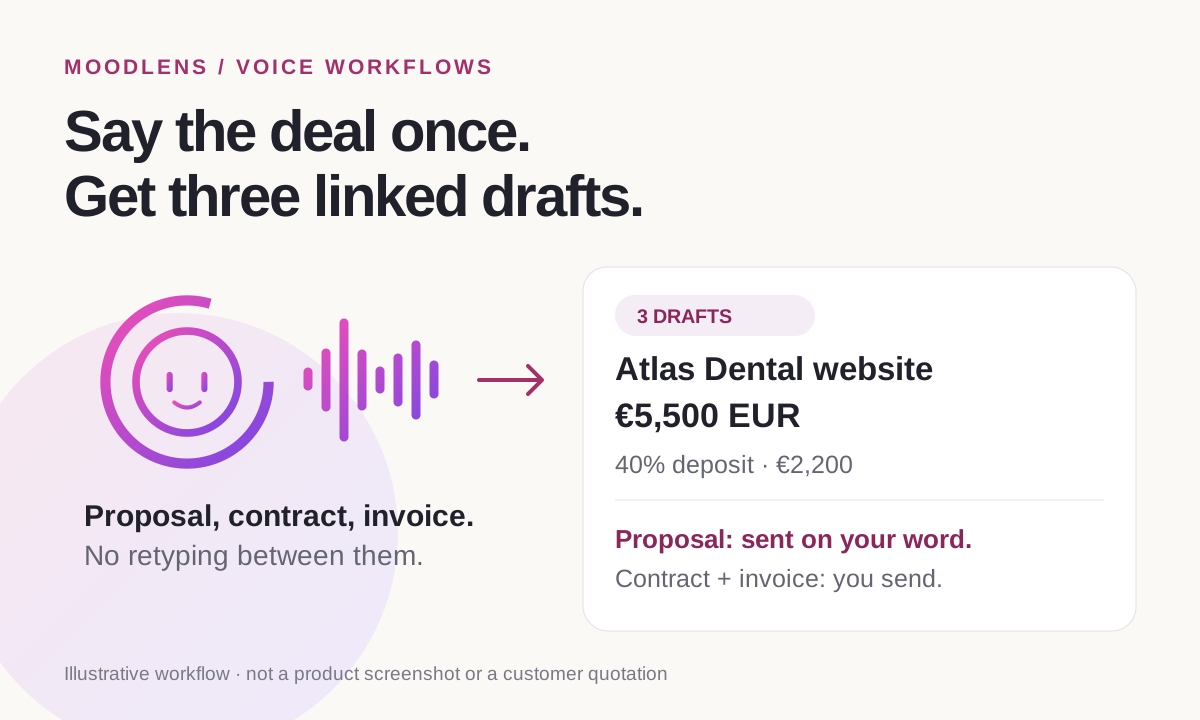
Most client paperwork is the same deal typed three times: in the proposal, again in the contract, again on the invoice. With Moody you say the deal once. Moody writes the proposal and sends it when you say so, the client’s approval can start the contract draft, and after signing Moody drafts the deposit invoice from the contract. Here is the whole chain on an illustrative €5,500 website project, with the moments that stay yours.
The short answer
Yes. In a Moody call you can describe the deal once. Moody writes the proposal, sends it for approval after you say “send it,” and can create the contract draft automatically when the client approves. Once the contract is signed, ask Moody to draft the deposit or balance invoice from it. You send the contract and the invoice yourself, and the client approves and signs on their own pages.
Help me write a proposal for [client name]. Ask me for anything missing and show me the draft. When I say “send it,” send it for approval and create the contract draft when they approve.
Replace [client name] with your client. You can give the scope, the price and the client’s email address during the call.
Try this with Moody
- Sign in to MoodLens and choose a workspace where you can create proposals, contracts and invoices.
- Open the Moody assistant, select the phone button and allow microphone access if asked.
- Read the short prompt and, for a first test, use a second email address of your own as the client. Confirm each step only when the preview is right.
The button opens MoodLens, not a call. Nothing reaches a client until you say “send it” or click Send.
One deal, three drafts, your decisions
- 1Say the deal
- 2Send the proposal
- 3Client approves
- 4Send the contract
- 5Client signs
- 6Send the deposit invoice
The same deal, typed three times
A website project usually produces three documents that repeat each other. The proposal states the scope and the price. The contract repeats them with legal terms. The deposit invoice repeats the price again, as a percentage. Every copy is another chance to mistype a number or forget a line.
In MoodLens To-do the three are linked records, not three separate files. The contract can be drafted from the approved proposal, and an invoice can be drafted from the signed contract’s payment plan. Moody, the assistant inside the app, can run each of those steps from a voice call.
This guide follows the illustrative project from our two companion guides: a €5,500 website for Atlas Dental Clinic with a 40% deposit. It is an example, not a customer case or a quotation.
Step 1: say the deal, then send the proposal
Start a Moody call and describe the work, the price, the currency and the payment terms as you would to a colleague. Moody asks for anything missing, writes the proposal and shows it to you before anything is saved.
When the draft is right, say “Yes, save the draft.” Then tell Moody who should approve it. Before sending, Moody reads back the recipients, the terms and whether a contract will be drafted on approval. Nothing is sent until you give a new confirmation, such as “yes, send it.”
Create a proposal for Atlas Dental Clinic titled “Website redesign and appointment request system.” Scope: six responsive pages, editable service content, an appointment request form, basic search metadata, analytics, testing and a handover session. Allow six weeks after we receive the content and the deposit. Price it in EUR: €500 discovery, €1,200 design, €2,800 development and €1,000 integration, testing and launch, so €5,500 in total. Payment is 40% upfront, 40% at the working preview and 20% at launch. Include two design revision rounds. Show me the proposal before saving. Once it is saved, I will ask you to send it to the clinic for approval and to create the contract draft when they approve. Do not send anything until I say “send it.”
Each recipient verifies their own email with a one-time code and approves on a secure review page; they do not need a MoodLens account. If you send it to several people, the proposal counts as approved only when every one of them has approved.
Step 2: the approval drafts the contract
If you asked for it when sending, the client’s approval creates a contract draft from the approved proposal: the same title, client, scope, exclusions and fixed fee in the same currency, with the approved payment terms and price items written into the project details. This option is off unless you ask for it.
One thing does not carry over on its own: the deposit percentage. The payment terms arrive as text, so set the 40% deposit in the contract, add the client representative’s name and check the dates before sending. Without the automation, you can ask Moody in a later call to prepare the contract for the client’s project instead; it reuses your saved business details and asks only for missing facts.
Either way, the contract stays an unsent draft. Open it in Contracts, review it and click Send. Sending a contract is not a voice action, and Moody never signs for you or for the client. Every required signer, including you, signs on their own.
Step 3: after signing, ask for the deposit invoice
Once every required signer has signed, say: “Draft the deposit invoice for the Atlas Dental contract.” Moody reads the contract’s payment plan, shows you the invoice and saves it as an unsent draft when you say “yes.” The amount, currency, client and due date come from the signed contract, not from memory.
If a part already has an invoice, Moody returns that invoice instead of making a second one. The same request works for the balance, the full fee, a custom amount on a fixed-fee contract or this month of a monthly retainer.
The draft is not emailed and has no payment link yet. Open it in Invoices, choose how the client pays and click Send.
| Payment | What to ask Moody for | Amount |
|---|---|---|
| Deposit (40%) | The deposit invoice | €2,200.00 |
| Working preview (40%) | A custom invoice of €2,200 | €2,200.00 |
| Launch (20%) | The balance invoice | €1,100.00 |
| Total | Three invoices from one contract | €5,500.00 |
What Moody does, and what stays yours
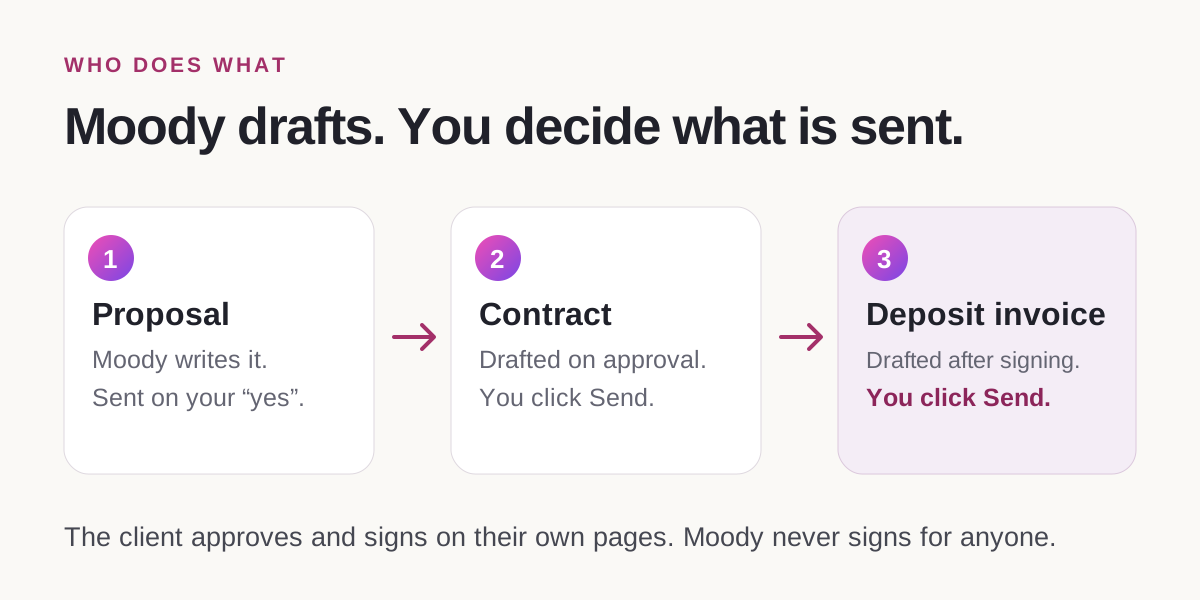
The point is not that nothing needs you. It is that you never retype the deal. Moody does the writing and the copying from one document to the next; you keep the decisions a client will hold you to.
- Moody writes the proposal and sends it only after you say “send it.”
- Moody drafts the contract on approval or on request; you review it and click Send.
- Moody drafts the deposit or balance invoice from the signed contract; you choose how the client pays and click Send.
- The client approves the proposal and signs the contract on their own secure pages. Moody never approves or signs for anyone.
Try the whole chain on a test project
For a first run, use a clearly named test client and a second email address of your own as the recipient. Send the proposal by voice with the contract option on, approve it from that inbox, then open the contract draft that appears in Contracts.
Set the deposit, send the contract to the same test address and sign it on both sides. Then ask Moody for the deposit invoice and check that it says €2,200.00 in EUR before you decide whether to send it.
The same tools are available to AI employees with access to the workspace, and to Claude or ChatGPT connected through the MoodLens MCP server. The rule does not change: the proposal goes out only after your explicit yes, and you send the contract and the invoice in the app.
Frequently asked questions
Can Moody send a proposal for me?
Yes, after a new spoken confirmation. Moody reads back the recipients, the terms and whether a contract will be drafted on approval, then emails each recipient their own email-verified review link. It never approves the proposal for the client.
Does the client’s approval create the contract automatically?
Only if you asked for it when sending the proposal; the option is off by default. The contract it creates is an unsent draft with the approved fee, currency and scope. Set the deposit percentage and check the details before you send it from Contracts.
Can Moody send the contract or the invoice?
No. Moody drafts both. You send the contract from Contracts and the invoice from Invoices, after choosing how the client pays.
Where does the invoice amount come from?
From the signed contract: its fee, deposit percentage, currency, client and payment terms. Moody reads the contract’s payment plan first and does not create a second invoice for a part that already has one.
Can I do this with Claude or ChatGPT instead of Moody?
Yes. Through the MoodLens MCP server, a connected Claude or ChatGPT can use the same proposal, contract and invoice-draft tools within the access you grant. The same rules apply: drafts first, and nothing is sent without you.