The contract is signed and the deposit is paid. Now the project either starts fast or waits three weeks for a logo file. Onboarding decides which. This guide gives you a checklist of everything to collect in the first week, a questionnaire you can copy and a simple way to keep the client’s answers and files with the project.
The short answer
Onboard a web design client in the first week after the contract is signed and the deposit is paid. Send one welcome email with the plan and the dates, one questionnaire (goals, audience, pages, examples, brand) and one list of what you need by when: copy, images, logo files, domain and hosting access, and who approves. Then hold a short kickoff call. Missing content is the most common reason website projects stall, so put every item on the project plan with a due date. In MoodLens To-do you can send the questionnaire as a form with file uploads, and the answers are collected in the doc that holds the form.
From signed contract to kickoff
- 1Contract signed
- 2Deposit paid
- 3Welcome email
- 4Questionnaire answered
- 5Files and access received
- 6Kickoff call
Why the first week decides the launch date
Onboarding is the bridge between a signed scope and the first day of real work. Done well, the client knows exactly what happens next and what they owe you; done badly, design starts without content and the project waits.
Content is where most projects lose time. Elementor’s June 2026 guide calls a lack of prepared content “the number one reason website projects stall”. Onboarding is your chance to ask for it while the client is still enthusiastic.
- The client knows the plan, the dates and the next step.
- You have what you need to start design: goals, brand files and examples.
- Everyone knows who gives feedback and who has the final say.
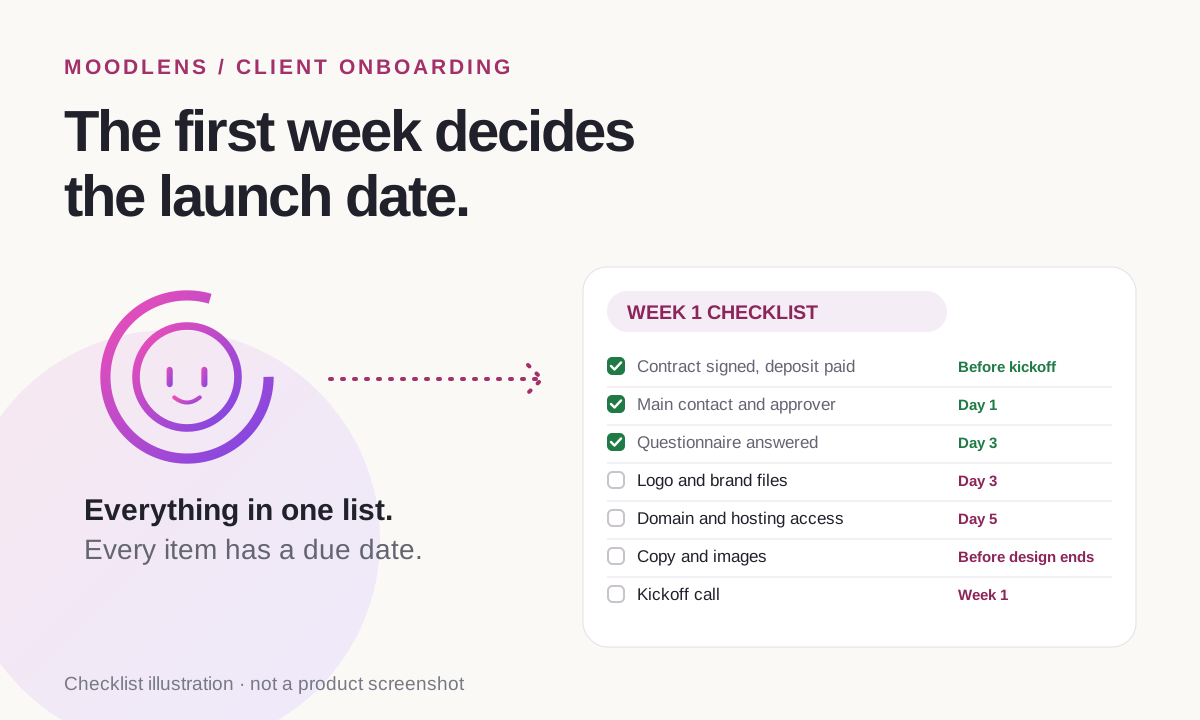
The client onboarding checklist
Send the checklist with due dates, not as a wish list. Items without a date tend to arrive the week before launch.
- Ask for access through a password manager or a user invitation, never by email.
- Ask for vector logo files (SVG, EPS or PDF), not a screenshot of the old site.
- If the client writes the copy, set its deadline before design ends, not before launch.
| Item | Why you need it | Due |
|---|---|---|
| Signed contract and paid deposit | Work starts only after both | Before kickoff |
| Main contact and final approver | One person gives feedback; you know who decides | Day 1 |
| Questionnaire answers | Goals, audience, pages and examples | Day 3 |
| Logo and brand files | A vector logo, colours and fonts | Day 3 |
| Domain, hosting and analytics access | No waiting for access at launch | Day 5 |
| Copy and images, or a content plan | The most common cause of delays | Before design ends |
| Kickoff call | Agree goals, dates and the feedback window | Week 1 |
A website questionnaire you can copy
Keep the questionnaire short enough to finish in one sitting. Ten questions cover what most website projects need; add more only when the project is unusual.
- What should the new site help your business do in the next 12 months?
- Who is the site for, and what do they need to find in the first 10 seconds?
- Which pages do you need? Mark the must-haves.
- Name three websites you like, and say what you like about each.
- Name one or two competitors, and what you want to do differently.
- What should visitors do on the site: call, book, buy or send an enquiry?
- Do you have a logo, colours and fonts? Please attach the files.
- Who will write the copy and supply the photos, and by when?
- Which tools must the site connect to, such as booking, a newsletter, a CRM or payments?
- Who gives feedback, and who gives the final approval?
The welcome email and the kickoff call
The welcome email sets the tone. Send it the day the deposit arrives, with the timeline, the questionnaire link, the checklist with dates and two or three times for the kickoff call.
Keep the kickoff call to about 45 minutes and send a short summary afterwards, with the decisions and the next deadlines.
- Goals, and what success looks like after launch.
- The timeline and the launch date.
- What you need from the client, and by when.
- How feedback works: one contact, a two-day window and what counts as a revision.
- How the client will see progress between updates.
How MoodLens keeps onboarding with the project
In MoodLens To-do, onboarding happens in the same workspace as the plan, the contract and the invoices, so nothing the client sends gets lost between apps.
Build the questionnaire as a form inside a doc, with short and long answers, choices, dates and file uploads for logos and photos. Publish it and send the link: your client fills it in without an account, and every answer is collected in the doc that holds the form. An AI employee can draft the form for you from one sentence, and you edit it before you send it.
Then add the checklist to the project board as tasks with due dates, including the client’s tasks, so a missing logo shows up as an overdue task instead of a surprise in week four. With a live client link, the client follows progress on the tasks you choose to share.
- Anyone with the link can open a published form. Never ask for passwords in it.
- For very large photo or video sets, a shared drive link is often easier than uploads.
- The live client link is included in Plus and Pro.
Onboarding by email vs. onboarding in the project
| Category | MoodLens | Onboarding by email |
|---|---|---|
| The questionnaire | A form with file uploads; answers collected in one doc | A Word file sent back and forth |
| Logos and photos | Uploaded with the answers | Scattered across email attachments |
| What is still missing | Client tasks with due dates on the board | A list in your head |
| Kickoff notes | In the project, next to the plan | In a notebook or a chat |
| What the client sees next | A live link with progress | Another email |
Frequently asked questions
What is client onboarding in web design?
It is the first week after the contract is signed: welcoming the client, collecting what you need to start (answers, brand files, access and content) and agreeing how you will work together, usually in a kickoff call.
What should a website questionnaire ask?
The site’s goal, the audience, the pages, sites the client likes, competitors, the main action visitors should take, brand files, who supplies copy and photos, the tools to connect and who approves. About ten questions is enough.
When should I send the onboarding questionnaire?
Right after the contract is signed and the deposit is paid, with a due date a few days later. Sent before signing, it can feel like free work; sent later, it delays design.
Should I ask for passwords in the questionnaire?
No. Ask the client to share access through a password manager or to invite you as a user, and keep passwords out of forms and email.
Can clients fill in the questionnaire without an account?
Yes. In MoodLens To-do, you publish the form and send the link. The client fills it in without an account and uploads files, and the answers are collected in the doc that holds the form.
Related MoodLens workflows
Sources and methodology
The checklist and the questionnaire are practical templates, not survey results. The quote on content delays comes from Elementor, which sells a website builder. MoodLens features were checked against the product in November 2026.