Projects·Insights

Reporting that answers what actually happened

Velocity, completion and activity charts across projects, plus AI-written summaries and exportable PDF reports for clients and stakeholders.

Free forever plan. No credit card.

Plate 00 · InsightsA rhythm score out of 100, momentum in wins per day, follow-through as a percentage — and a coach that explains what they mean.
The MoodLens AI coach giving a written productivity analysis beside momentum and follow-through scores
01

A coach that reads your week and tells you the one thing to change

The AI coach does not hand you a dashboard to interpret. It writes an actual analysis — what you are doing well, where the biggest opportunity is, and a specific tip for the week — in the same language a good manager would use.

Detail

  • Written personalised analysis, refreshed on demand
  • Names the single highest-leverage change
  • Credits what is already working
  • Reads your real completion and focus data
02

Three numbers that actually mean something

A rhythm score out of 100 summarises the week. Momentum counts wins per day. Follow-through is the percentage of commitments you closed. Together they separate "busy" from "effective" without a spreadsheet.

  • Personal rhythm score out of 100
  • Momentum measured in wins per day
  • Follow-through percentage on commitments
  • Focus hours and sessions tracked
03

Deep-dive any week

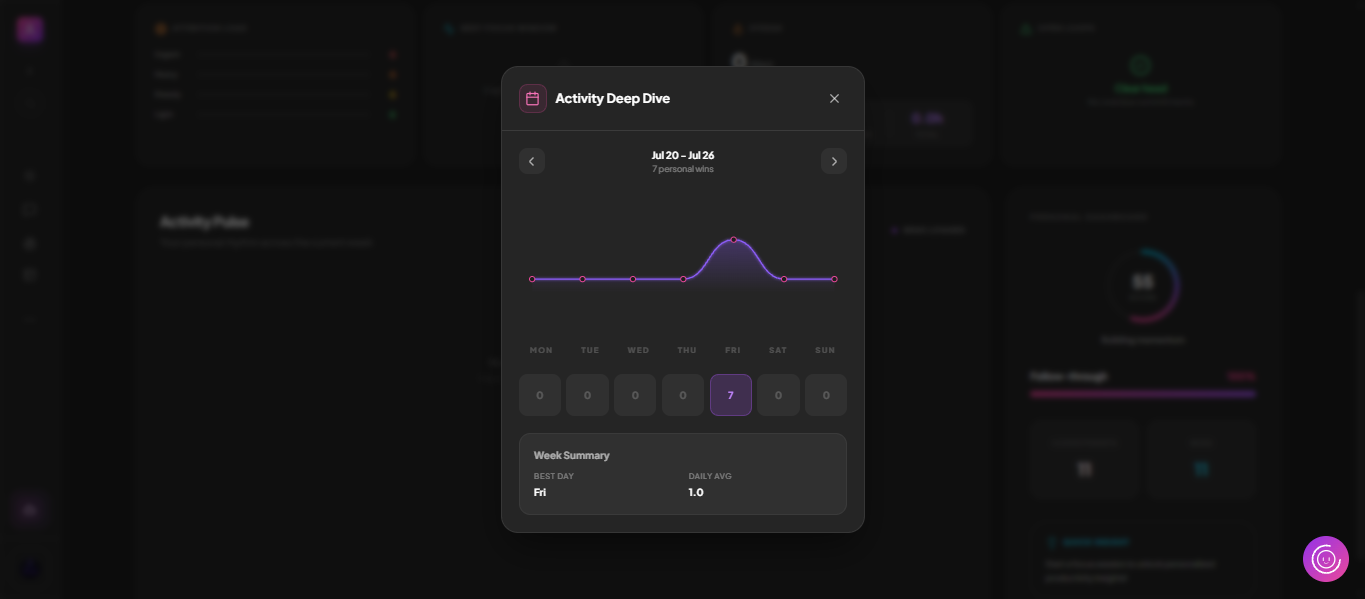
Open Activity Deep Dive to step back through the weeks: a line chart of output, a per-day breakdown from Monday to Sunday, your best day and your daily average.

See it below
Plate 01 · Continues 03Step back through any week: output by day, best day, daily average.
The Activity Deep Dive modal in MoodLens showing a week of completions by day

What to look for

  • Week-by-week navigation
  • Per-day completion counts
  • Best day and daily average summary
  • Personal wins counted per period
04

Reports a client will actually read

Export a project report to PDF for a stakeholder update, or point the client at the live portal so they can watch progress without you assembling anything by hand.

See it below
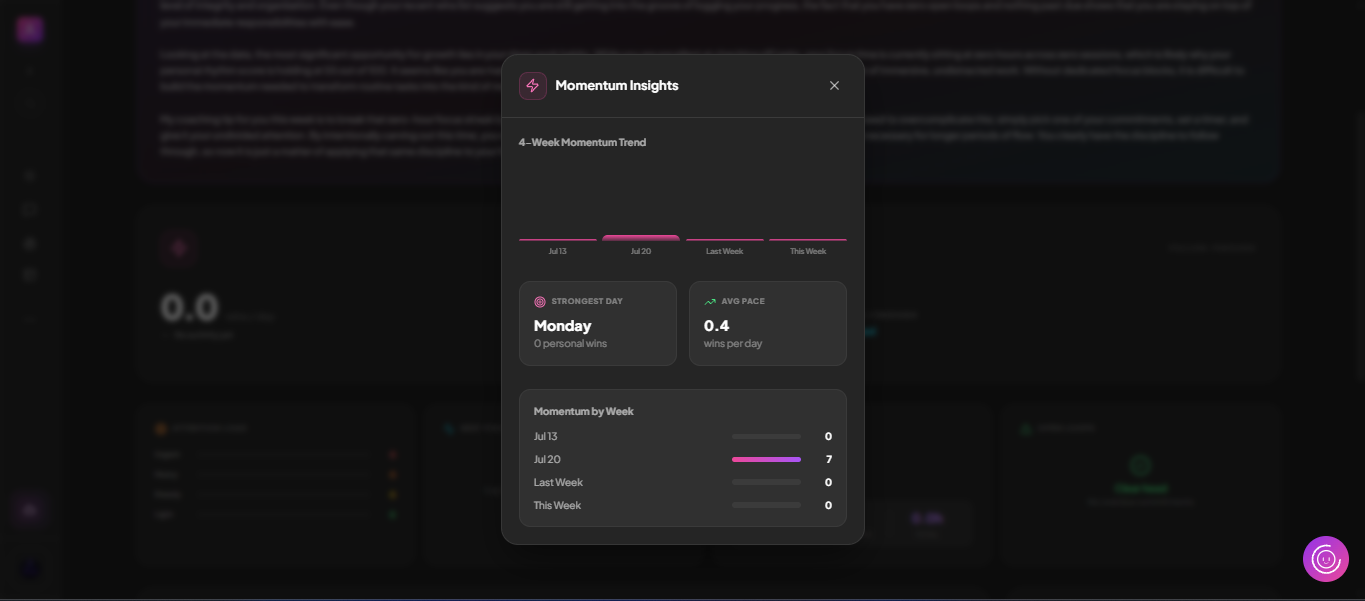
Plate 02 · Continues 04Momentum over time shows whether the pace is holding or quietly slipping.
Momentum tracking in MoodLens insights

What to look for

  • Client-ready PDF reports
  • Live client portal as an alternative
  • Project Studio for deeper analysis and OKRs

Also asked

Insights, answered

Q1
Can I send a report to a client?Yes. Reports export to PDF, and the client portal can show live progress continuously without you sending anything.

Run the whole client lifecycle in one workspace.

Insights is one part of it. Plan the work, keep clients informed, track the budget and get paid — without another subscription.

Start free

Free to start. No credit card required.