Time & money·Online payments

Get paid with a link instead of a bank transfer

Attach a secure Stripe payment link to any invoice, accept card payments, handle refunds and set up recurring billing.

Free forever plan. No credit card.

In this feature

Stripe payment links
01
Card payments
02
Refunds
03
Recurring billing
04

On this page

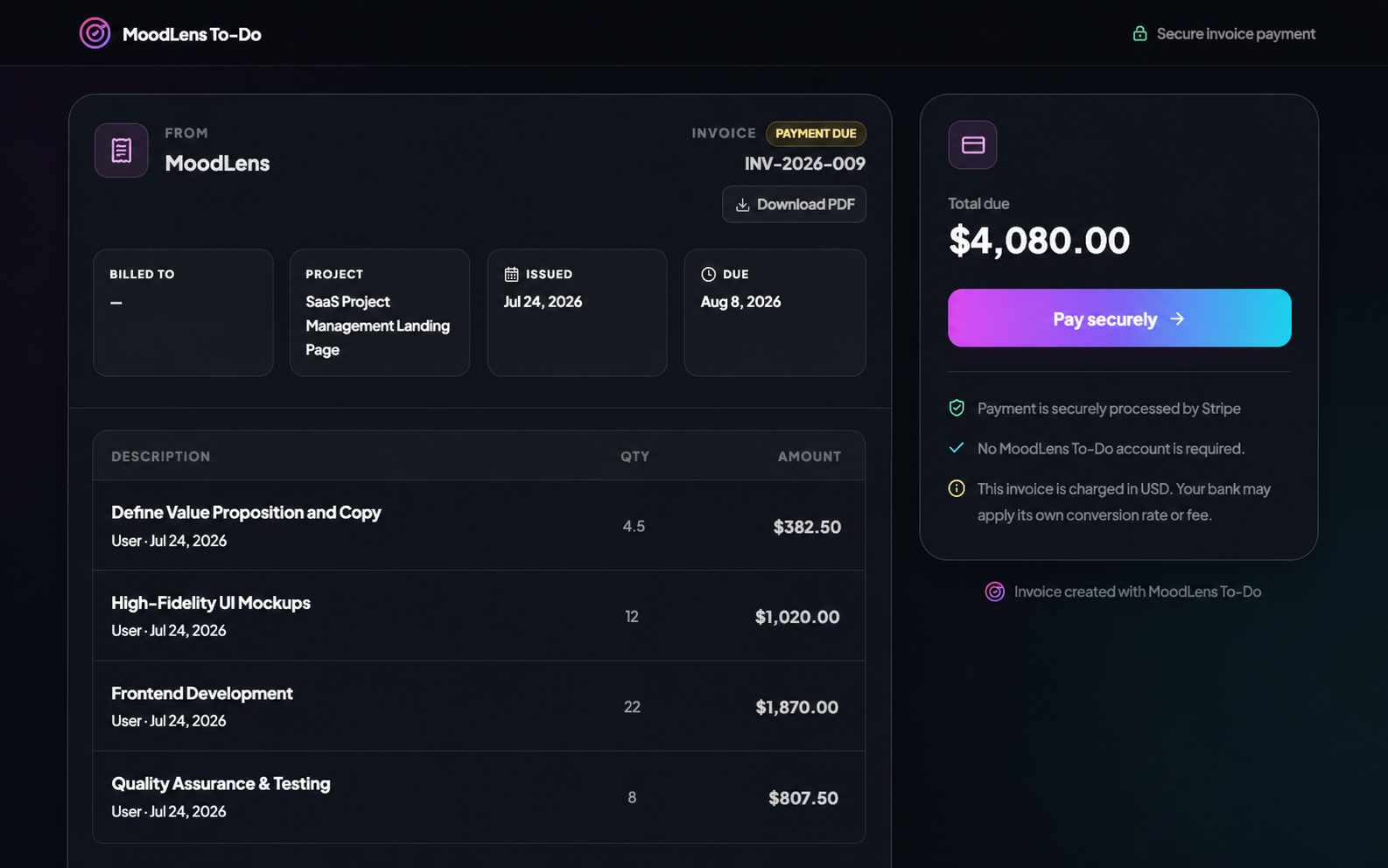
Plate 00 · Online paymentsA secure invoice payment page with Stripe payment controls.
A secure invoice payment page with Stripe payment controls
01

One link, no account required

The client opens the link and pays by card. They do not need a MoodLens account, and you do not need to send bank details in an email.

Detail

  • Secure hosted payment page
  • No client account needed
  • Payment reconciled against the invoice
02

Recurring work, recurring billing

Retainers and ongoing engagements can bill on a schedule rather than needing someone to remember on the first of the month.

  • Recurring payment setup
  • Refunds and settlement tracking
  • Payment status visible on the project

Straight answer

Who processes the payment?

Stripe. You connect your own Stripe account, funds settle to you directly, and MoodLens never holds your money.

Also asked

Online payments, answered

Q2
What are the fees?Stripe's standard processing fees apply. MoodLens does not add a transaction fee on top of your plan.

Run the whole client lifecycle in one workspace.

Online payments is one part of it. Plan the work, keep clients informed, track the budget and get paid — without another subscription.

Start free

Free to start. No credit card required.